Key Takeaways
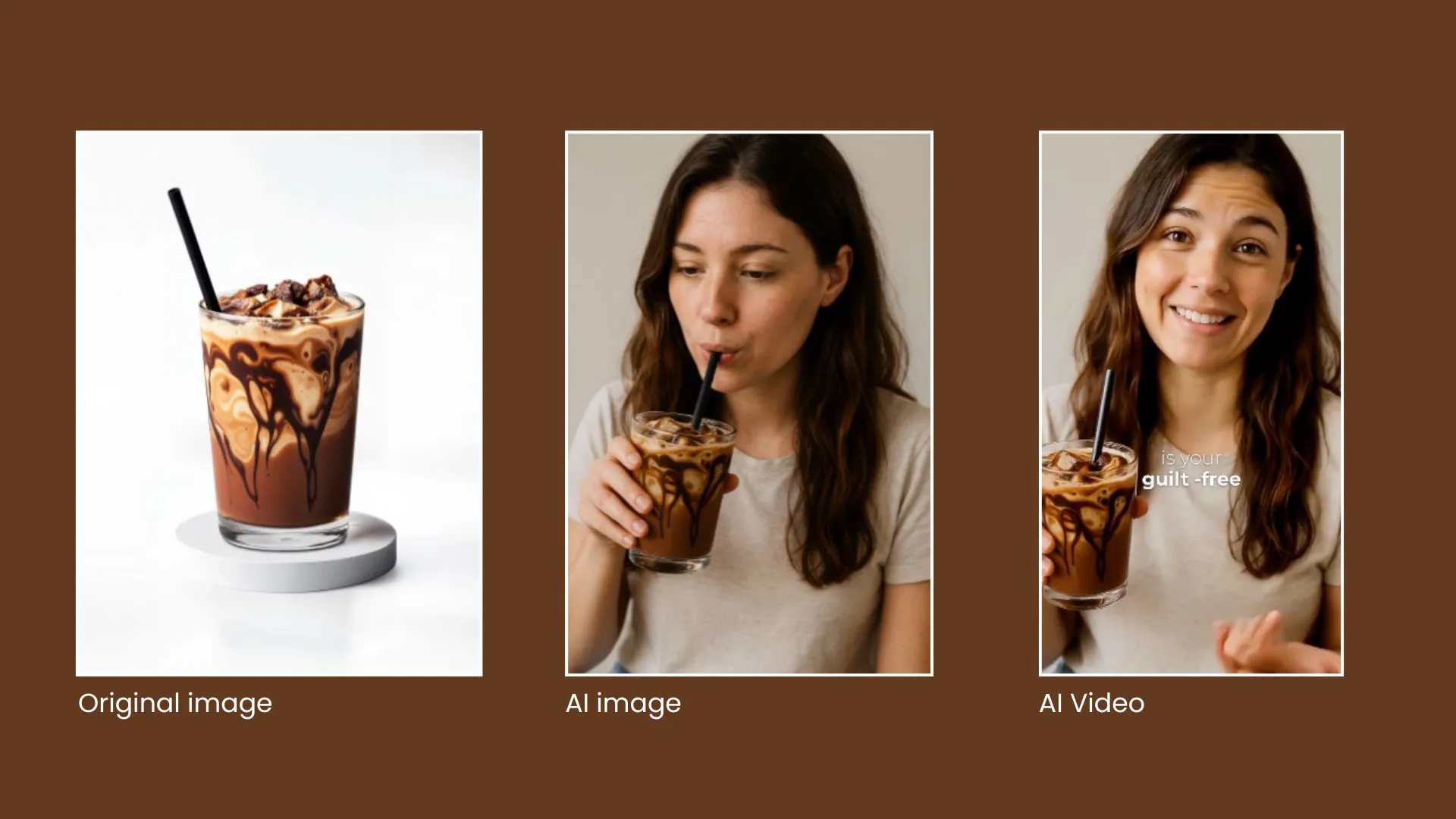
- Powered by AI: AI video creation uses your product images, data, and text to automatically produce polished videos without a studio or editing skills.
- Great for e-commerce: Videos show products in action, making them easier to understand and more convincing than photos alone.
- Built for social media: AI tools quickly create short videos sized and styled for platforms like TikTok, Instagram, and YouTube, helping you capture attention fast.
- Lower cost, faster output: You can make high-quality videos at scale without hiring a production team, which saves time and budget.
- Better shopping experience: Adding videos to product pages and funnels keeps shoppers engaged, builds trust, and can increase conversions.
AI-powered video creation is transforming the way e-commerce stores attract, engage, and convert customers. With the help of artificial intelligence, businesses can now create professional-quality videos that captivate audiences, simplify production, and reduce costs.
See how Tolstoy AI Studio turns product data and approved assets into shoppable video workflows for product pages and campaigns.
Not only do these videos help showcase your products dynamically, but they also elevate your marketing strategy by improving customer engagement and driving conversions. In this article, we’ll explore what AI-powered video creation entails, its benefits for e-commerce, and real-world examples of its effectiveness.
AI-Powered Videos Explained
At its core, AI-powered video creation leverages artificial intelligence to automate the process of producing high-quality, customizable videos. This technology turns product data, images, and descriptions into visually engaging content without advanced skills or expensive production teams.
What Makes AI Video Creation Special?
- Dynamic Product Showcasing: AI-generated videos display products in action, making them more relatable and appealing to potential buyers.
- Brand Storytelling: Videos created with AI can tell compelling stories that connect emotionally with your audience.
- Ease of Use: AI tools simplify traditionally complex tasks, making video creation accessible for businesses of all sizes.
AI-Powered Videos on Social Media
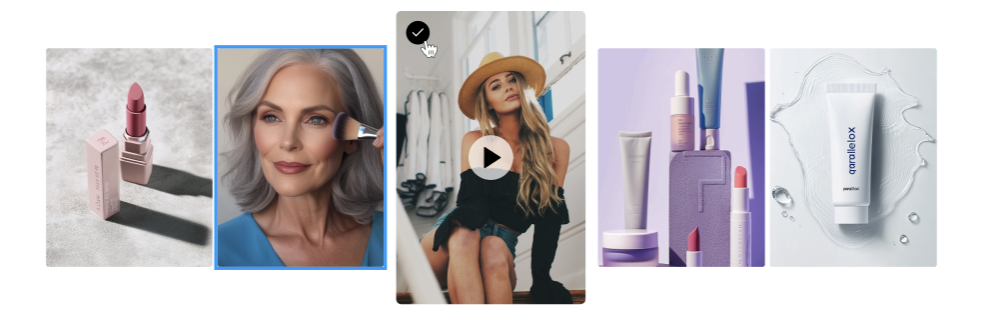
Social media platforms thrive on visually engaging content, making AI-generated videos an ideal fit. Businesses can create short, impactful videos tailored to the specific requirements of platforms like Instagram, TikTok, Facebook, YouTube, and Pinterest.
Why Use AI Videos for Social Media?
- Boost Engagement: Videos capture attention faster than static images or text.
- Increase Shares: Shareable video content expands your reach organically.
- Platform Optimization: AI tools often include features to optimize videos for various social media dimensions and styles.
Pro Tip: Focus on the platforms where your target audience spends the most time and customize videos to fit their preferences.
Benefits of AI-Generated Videos on Your Website
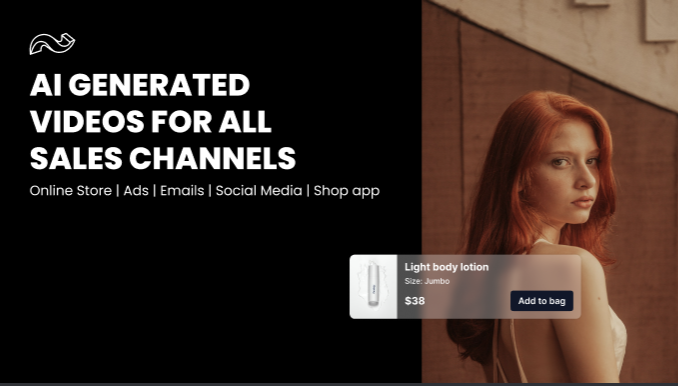
Adding AI-generated videos to your e-commerce site can significantly enhance the shopping experience while increasing conversions. Key benefits include:
1. Simplified Sales Funnels
Interactive product videos guide customers through their purchase journey, reducing the number of steps needed to make a sale.
2. Affordable Content Creation
AI eliminates the need for costly production teams, making it possible to create high-quality videos on a budget.
3. Improved Brand Loyalty
Videos that reflect your brand’s tone and personality build trust, ensuring customers return for repeat purchases.
4. Actionable Analytics
AI tools often include analytics to track viewer behavior, helping you refine your video strategy based on real-time data.
Pro Tip: Embed product videos on your homepage, product pages, and FAQs using tools like Tolstoy to keep visitors engaged and informed.

5 Best AI Video Examples for E-Commerce
1. Dynamic Product Highlights
Use AI to create videos that showcase key product features. These are ideal for product pages and help customers visualize their purchases.
2. Personalized Lifestyle Videos
Feature your products in real-world scenarios. For instance, demonstrate kitchen gadgets in action or display apparel styled for different occasions.
3. Social Media Ads with Targeted CTAs
AI-generated videos can create attention-grabbing ads optimized for Instagram and TikTok, with direct links to shop.
4. Educational Demos or Tutorials
Create step-by-step guides to help customers understand how to use your products effectively. These videos build trust and confidence.
5. Customer Testimonials
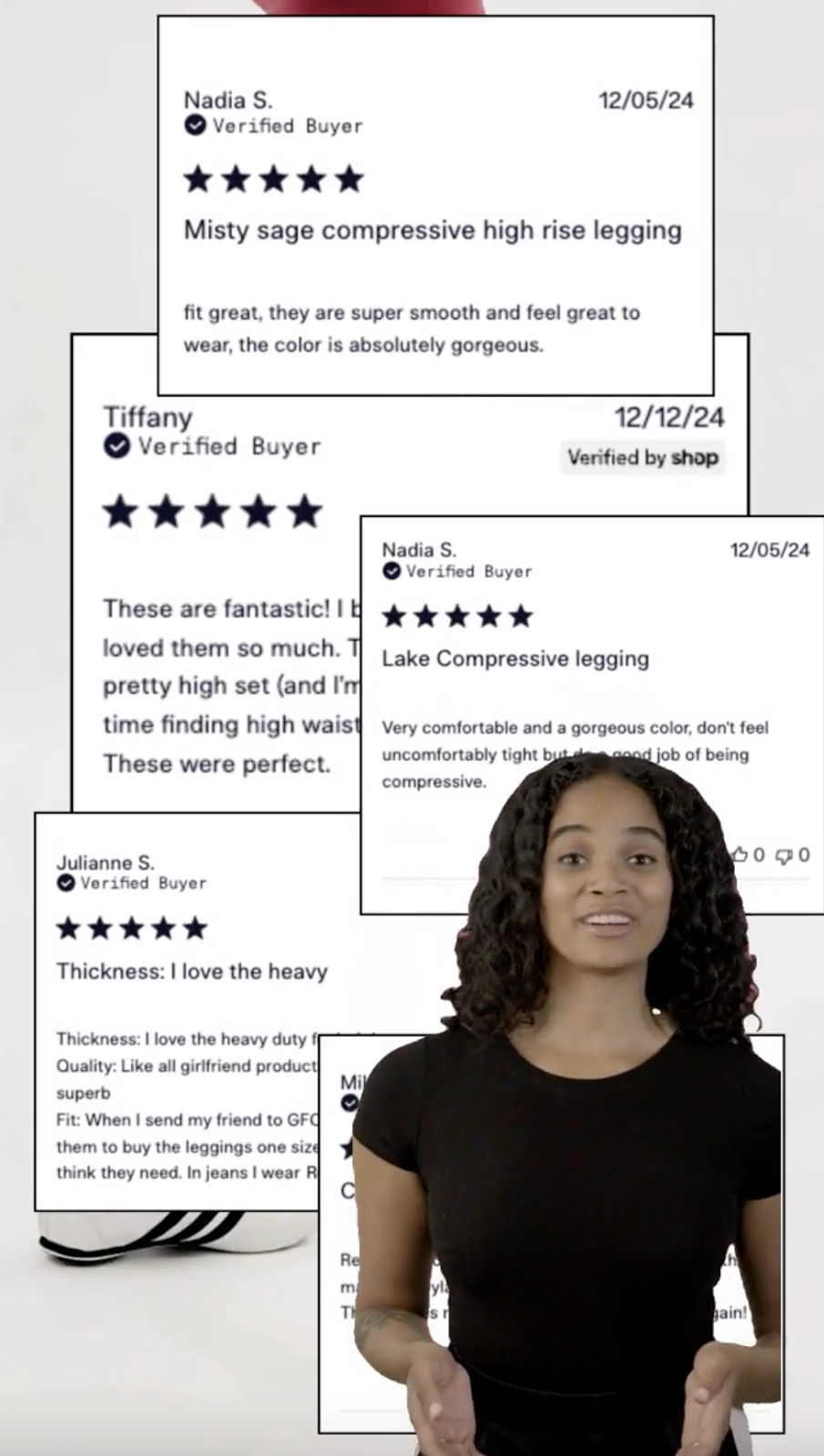
Transform written reviews into dynamic testimonial videos. Highlight authentic feedback combined with visuals of your products.
Pro Tip: Turn AI Video Creation Into a Conversion Engine
AI-powered video isn’t just about making content faster. It’s about placing the right video at the exact moment shoppers hesitate.
- Auto-build PDP explainers: Use AI to turn product images and specs into 20–40 second shoppable videos that answer top objections like fit, use, or sizing right on the PDP.
- Repurpose once, deploy everywhere: Create one AI video and instantly resize it for PDPs, PLPs, email embeds, SMS links, and social ads to keep messaging consistent without extra work.
- Let shoppers choose their path: Pair AI videos with interactive formats like Tolstoy AI Player so shoppers can tap what they want to see next instead of passively watching.
- Optimize with behavior data: Track which scenes shoppers engage with and regenerate future videos emphasizing the moments that actually drive clicks and add-to-carts.
Conclusion
AI-powered video creation has made professional, engaging videos more accessible than ever. Here’s how to maximize their potential:
- Keep It Short and Engaging: Videos under 60 seconds perform best, especially on social media.
- Focus on Benefits: Highlight unique product features and customer pain points.
- Optimize for All Devices: Ensure your videos are mobile-friendly and load quickly.
- Leverage Analytics: Use insights to improve future content and boost performance.
Frequently asked questions
How can a small e-commerce team start using AI-powered video without hiring creators?
AI-powered video lets small teams produce conversion-ready product videos using existing product assets instead of filming from scratch. Gather your core inputs first: product images, titles, descriptions, and key benefits. Choose one primary goal per video (feature highlight, use case, or objection handling). Start with short formats (15–45 seconds) optimized for product pages or social feeds. Publish videos directly on high-intent pages like PDPs rather than only on social. A practical next step is pairing AI videos with interactive placements as shown in Tolstoy’s guide to product videos for ecommerce .
What types of products benefit most from AI-powered video creation?
Products that require demonstration, context, or comparison see the fastest lift from AI-generated video. Prioritize items with visual transformation (before/after, styled vs. unstyled). Use videos for products with common buyer hesitation or learning curves. Test AI videos on high-traffic SKUs before rolling out catalog-wide. Repurpose one video into multiple cuts for ads, PDPs, and collections. For inspiration on matching video formats to product types, explore what is a shoppable video with examples .
How do AI-powered videos impact conversion rates on product pages?
AI-powered videos reduce friction by answering visual and functional questions before shoppers scroll or bounce. Place videos above the fold to intercept early hesitation. Show the product in use within the first three seconds to anchor relevance. Pair videos with clear CTAs or clickable product elements. Monitor dwell time and add-to-cart rate changes per video placement. This effect is amplified when videos are interactive, as outlined in how interactive video marketing enhances customer engagement .
How should growth teams scale AI video creation across hundreds of SKUs?
Scaling works best when AI video creation is treated as a repeatable system, not one-off content. Create reusable prompt templates tied to product attributes (category, use case, audience). Batch-generate videos by collection or campaign rather than individually. Standardize video lengths and aspect ratios for easier distribution. Refresh underperforming PDPs first instead of launching net-new pages. This approach aligns well with the scalable workflows described in the guide to amazing AI product videos .
How does Tolstoy AI Studio turn product data into shoppable videos?
Tolstoy AI Studio converts basic product inputs into studio-quality videos that can be deployed instantly across your store and campaigns. Input product images, descriptions, and positioning prompts into AI Studio. Generate multiple video variants optimized for PDPs, ads, or social. Publish videos directly to your site without external hosting or embeds. Continuously refresh visuals to keep product pages updated for AI and search visibility. You can see the full workflow and outputs on the Tolstoy AI Studio product page.
Create with Tolstoy
Put these ideas into practice
Turn your product ideas into AI images, videos, and shopping experiences.