Key Takeaways
- Video dramatically boosts engagement: Product pages with video get about 3x more engagement than image-only listings because motion captures attention and keeps shoppers exploring longer.
- AI can turn existing product photos into videos: Image-to-video tools generate short clips from static images by simulating camera movement, depth, and scene changes. This lets teams create videos without filming new footage.
- Scale video across entire catalogs: Instead of producing videos for only a few products, AI can generate clips for hundreds or thousands of SKUs using existing images and templates. This expands coverage without adding production work.
- Use different video styles for different channels: Subtle motion works well on product pages, while faster, short-form clips perform better in ads and social feeds. Matching the format to the placement improves results across the customer journey.
E-commerce pages that include video generate 3x more engagement than listings with only images. Static product images increasingly limit how e-commerce teams execute across channels. As customer expectations shift toward richer visual experiences, relying only on still imagery restricts storytelling, reduces time-on-page, and narrows how products can be presented across storefronts, ads, and lifecycle marketing.
AI image-to-video technology offers a more scalable way to introduce motion into product content. Generation of short-form videos directly from existing images enables teams to expand video coverage across catalogs without introducing new production bottlenecks. This approach reframes video from a specialized creative effort into a repeatable, catalog-driven workflow tied to merchandising and performance goals.
What Is AI Image-to-Video Technology?
AI image-to-video technology converts static images into short video sequences by inferring motion, depth, and visual continuity from still inputs. Rather than recording new footage, these systems analyze product images and generate movement through simulated camera motion, transitions, lighting changes, and scene composition.
Modern image-to-video systems rely on generative models trained to understand object structure and spatial relationships. From a single or small set of images, the model predicts how a product might appear from slightly different angles, how it sits within a scene, and how visual elements can transition smoothly over time. This allows the system to produce videos that feel dynamic without requiring full 3D models or physical filming.
This approach differs from rule-based animation, where predefined motions are applied uniformly to assets. Rule-based systems often produce repetitive results and require manual setup. Generative image-to-video models adapt motion and composition based on the product itself, producing more natural and varied outputs.
For e-commerce workflows, this technology fits directly into catalog-driven operations. Videos can be generated from existing product images, updated as assortments change, and deployed across product pages, ads, and owned channels without creating a separate production pipeline.
Benefits of Turning Product Images Into Videos With AI
Turning product images into videos is not about replacing traditional video entirely. The value comes from extending motion and visual depth to more products, more placements, and more customer touchpoints without increasing production overhead. For e-commerce teams, this creates measurable gains across engagement, conversion, cost efficiency, and catalog coverage.
1. Increase Engagement Compared to Static Images
Video captures attention more effectively than still images by introducing motion and visual progression. Even subtle movements, like slow pans or gentle transitions, encourage users to pause and explore product content more deeply. On e-commerce pages, this increased engagement often leads to higher interaction rates, especially on mobile devices where motion stands out. The impact goes beyond engagement as these videos also influence purchasing decisions, with 72% of online shoppers saying they are more likely to buy after watching a demo.
2. Improve Conversion Rates Across Digital Channels
Product videos help customers understand scale, texture, and usage more clearly than static images alone. This added clarity reduces uncertainty during the buying decision. Platforms like Tolstoy extend this further by making videos interactive and shoppable, enabling customers to explore variants or add products to cart directly from the video experience, increasing on-site conversion impact.
3. Reduce Traditional Video Production Costs
Traditional video production requires planning, equipment, talent, editing, and coordination across teams. AI image-to-video systems remove most of these steps by generating videos directly from existing assets. This significantly lowers per-video costs and removes the need to prioritize only a small subset of products for video coverage.
4. Scale Video Creation Across Large Product Catalogs
Manually producing videos for hundreds or thousands of SKUs is rarely feasible. AI-based workflows make bulk generation possible by applying consistent templates and styles across entire catalogs. Tools such as Tolstoy’s AI Studio allow brands to generate multiple product videos at scale from existing images, ensuring consistent coverage across assortments without increasing operational complexity.
How AI Turns Product Images Into Videos
AI image-to-video systems work by extracting structure, context, and visual intent from static product images, then generating motion and scenes that feel coherent rather than artificial. Instead of simply animating pixels, these systems interpret how a product exists in space and how it can be presented dynamically across short video sequences.
Image Analysis and Depth Mapping
The process begins with image analysis, where the AI identifies the product’s shape, edges, textures, and relative depth. From this, it builds an internal representation of foreground and background elements. Depth mapping allows the system to separate the product from its surroundings and understand which areas should move independently, creating a sense of dimensionality even when working from a single image.
Motion Simulation and Camera Effects
Once depth and structure are established, the AI simulates motion through virtual camera movements. This can include slow pans, zooms, parallax shifts, or angle changes that suggest rotation. These effects are applied selectively based on the product’s geometry, avoiding exaggerated motion while introducing visual flow that mirrors how products are typically filmed in studio environments.
Scene Generation and Background Enhancement
AI systems can also generate or enhance backgrounds to place products in more engaging visual contexts. Neutral studio backdrops can be extended, softened, or replaced with lifestyle-inspired scenes while keeping the product visually anchored. This allows videos to feel purposeful and polished without requiring physical sets or location shoots.
Text, Voice, and Visual Overlay Generation
Some image-to-video workflows layer in text, icons, or voice elements to reinforce product information. Overlays such as feature callouts, pricing cues, or brand messaging are positioned dynamically so they complement motion rather than obstruct it. This transforms videos from purely visual assets into informative product communication tools.
Step-by-Step: How to Turn Product Images Into Videos With AI
Turning product images into videos follows a structured workflow that prioritizes input quality, configuration, and channel-specific output. While platforms vary, the steps below reflect a practical implementation path for e-commerce teams looking to operationalize image-to-video generation:
- Choose High-Quality Product Images: Start with clear, well-lit product images that accurately represent color, texture, and proportions. Clean backgrounds and consistent angles improve how effectively AI systems can extract depth and structure, reducing visual artifacts in the final video.
- Select an AI Image-to-Video Platform: Choose a platform that aligns with e-commerce workflows rather than standalone creative tools. For e-commerce brands, platforms like Tolstoy combine AI video generation with interactive shopping functionality, allowing videos to connect directly to product pages and conversion paths. VEED’s AI Image to video tool is another option for teams that want to turn static product or campaign assets into short marketing clips for social, ads, and content production workflows.
- Upload and Configure Image Inputs: Upload selected product images and assign them to the appropriate product or SKU. Configuration may include defining aspect ratios, output formats, and the number of scenes or transitions the video should include.
- Customize Motion, Effects, and Branding: Adjust motion intensity, camera style, and visual effects to match brand guidelines. This step ensures videos feel consistent with existing product imagery while maintaining a polished, professional look across different product lines.
- Optimize for Different Channels and Formats: Tailor videos for their intended placements, such as product pages, paid ads, email, or social feeds. This includes adjusting length, orientation, and overlays to fit each channel’s viewing behavior and technical requirements.
- Export and Publish Your Video: Once generated, export videos in the required formats and publish them across storefronts or marketing channels. In e-commerce-focused systems, this step can include direct publishing to product pages without manual uploads.
Different Types of AI-Generated Product Videos
AI image-to-video technology supports multiple video formats, each serving a different merchandising or marketing purpose. Choosing the right format depends on where the video will appear and what information it needs to convey.
Subtle Motion and Cinematic Animation
These videos use gentle camera movement and depth effects to add polish to product visuals. They work well on product detail pages where motion enhances presentation without distracting from key purchase information.
Multi-Image Story Sequences
Multi-image videos combine several product shots into a short narrative sequence. This format highlights different angles, features, or variants within a single video, making it useful for complex products or bundled offerings.
Lifestyle and Context-Based Visualizations
These videos place products into contextual environments that suggest use cases or scenarios. AI-generated backgrounds and transitions help customers visualize how a product fits into daily life without requiring lifestyle photoshoots.
Short-Form Social Media Videos
Optimized for vertical or square formats, these videos prioritize fast pacing and visual clarity. They are designed to capture attention quickly within feeds and communicate product value in just a few seconds. The impact of motion is even more pronounced in social discovery; specialized marketing audits of Instagram campaigns have confirmed that video assets outperform static imagery by a factor of three in terms of total user interactions.
Interactive and Clickable Product Videos
Interactive videos allow customers to engage directly with products inside the video itself. Platforms like Tolstoy specialize in interactive and shoppable video formats designed specifically for e-commerce storefronts, enabling actions such as product selection or add-to-cart without leaving the viewing experience.
Through its AI Studio and AI Player, Tolstoy automates the creation of these videos from existing product images, applying templates such as UGC-style, lookbook, or multi-scene formats. Videos can be published directly to Shopify and connected to real product data, allowing brands to scale interactive video experiences across entire catalogs while tracking engagement and conversion impact.
Key Features to Look for in an AI Image-to-Video Tool
Choosing the right AI image-to-video tool determines whether the video becomes a scalable workflow or another fragmented asset type. For e-commerce teams, the most important features are those that connect generation, brand control, publishing, and performance measurement within a single system.
| Feature | Why It Matters for E-Commerce Teams |
|---|---|
| Motion and Scene Control | Fine-grained control over camera movement, pacing, and transitions ensures videos feel intentional rather than automated. This allows teams to adapt motion styles for different product categories and placements without rebuilding videos from scratch. |
| Brand Customization and Design Flexibility | Tools should support consistent typography, color usage, overlays, and visual styles. Brand controls prevent variation drift when generating videos at scale and reduce the need for manual review across large catalogs. |
| Interactive and Shoppable Capabilities | Interactive elements allow customers to engage directly with products inside the video. Tolstoy’s AI Player enables clickable, conversion-focused video experiences embedded directly on-site, reducing friction between viewing and purchasing. |
| E-Commerce Platform Integrations | Native integrations simplify deployment and maintenance. For example, Tolstoy integrates directly with Shopify, allowing teams to publish videos to product pages and collections without custom development work. |
| Multi-Format Export Options | Videos need to adapt to multiple placements, including PDPs, ads, email, and social. Flexible export formats and aspect ratios prevent duplication of effort across channels. |
| Analytics and Performance Tracking | Measuring engagement, clicks, and revenue attribution connects video performance to business outcomes. Tools like Tolstoy track these signals at the video level, enabling data-driven optimization. |
Where to Use AI-Generated Product Videos Across the Customer Journey
AI-generated product videos are most effective when placed intentionally across the customer journey. Different touchpoints require different video formats, pacing, and levels of interactivity to support discovery, evaluation, and conversion.
- Product Detail Pages: Videos on PDPs help customers understand products faster by showing scale, texture, and usage. Tolstoy’s AI Player allows brands to embed interactive videos directly into PDPs, enabling actions such as product selection or add-to-cart without disrupting the browsing flow.
- Landing and Collection Pages: On category and collection pages, videos help set context and guide exploration. Motion-based visuals can highlight featured products or themes, improving engagement while keeping layouts visually cohesive across large assortments.
- Paid Social and Performance Ads: Short-form AI-generated videos are well-suited for paid media, where attention is limited. Automated generation allows teams to refresh their creativity frequently and tailor videos to different audiences without increasing production costs.
- Email and SMS Campaigns: Embedding or linking to product videos in email and SMS adds visual depth to promotional messages. Videos can quickly communicate value propositions that static images may struggle to convey within a limited space.
- Post-Purchase Upsell and Cross-Sell Flows: Video can support post-purchase engagement by introducing complementary products or upgrades. Some platforms enable interactive post-purchase video flows, a capability supported by Tolstoy, allowing continued product discovery after checkout.
Common Challenges When Turning Product Images Into Videos With AI
While AI image-to-video technology simplifies video creation, teams still face practical challenges that affect quality and consistency. Understanding these constraints helps teams set realistic expectations and implement guardrails early:
- Low-Quality Source Images: AI systems rely heavily on input quality. Blurry images, inconsistent lighting, or inaccurate colors limit how effectively motion and depth can be generated, often resulting in videos that require additional review or regeneration.
- Unrealistic Motion or Visual Artifacts: Excessive camera movement or poorly inferred depth can make products feel distorted or artificial. This is more likely when motion settings are not calibrated to the product’s shape or when templates are applied too broadly.
- Brand Inconsistency Across Variations: Generating videos at scale increases the risk of visual inconsistency. Without defined brand rules, variations may differ in tone, pacing, or overlays, creating fragmented customer experiences across pages and campaigns.
- Limited Control Over Final Output: Some tools prioritize speed over precision. When customization options are limited, teams may struggle to fine-tune motion, layout, or messaging, reducing the usefulness of videos for conversion-focused placements.
Best Practices for Creating High-Converting AI Product Videos
High-performing AI-generated videos balance automation with intent. The practices below focus on aligning video creation with customer behavior, placement context, and measurable outcomes:
| Best Practice | How It Improves Conversion Performance |
|---|---|
| Capture Attention in the First Few Seconds | Early motion and clear framing prevent users from scrolling past. Videos should surface the product immediately rather than relying on slow reveals or extended transitions. |
| Highlight Key Product Benefits Early | Showing primary features or use cases early reduces uncertainty. Customers should understand what the product is and why it matters before the video progresses. |
| Match Video Format to Placement | PDP videos benefit from subtle motion, while ads require faster pacing. Adapting format and length to placement ensures videos support, rather than disrupt, the surrounding experience. |
| Keep Videos Short and Conversion-Focused | Concise videos reduce cognitive load and keep attention on purchase decisions. Shorter formats are easier to deploy across multiple channels without re-editing. |
| Test Multiple Variations Per Product | Performance varies by style and placement. AI Studio tools, such as Tolstoy’s, allow rapid generation of multiple creative variations, enabling structured testing without production delays. |
How Tolstoy Turns AI Product Videos Into Shoppable, Revenue-Driving Experiences
Tolstoy's AI Commerce platform transforms static product visuals into dynamic, interactive videos that boost engagement and sales across e-commerce sites.
Create AI-Generated Product Videos With AI Studio
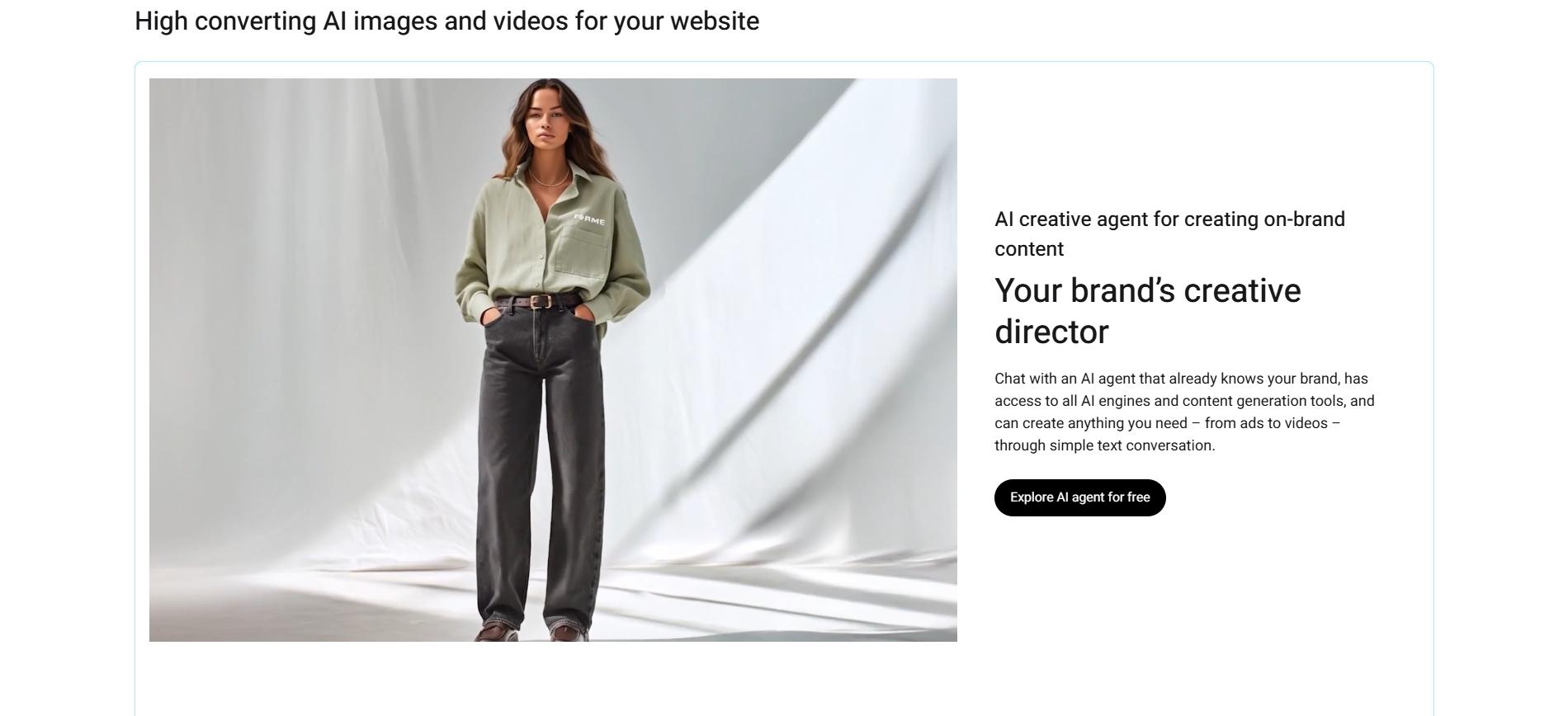
Tolstoy AI Studio turns product images into high-converting videos at scale. Sync your catalog, chat with the AI creative agent for on-brand motion graphics, and animate flat lays into PDP-ready clips. Publish directly to your store without editing, enabling fresh content for every SKU and campaign.
Deliver Interactive Video Experiences With AI Player
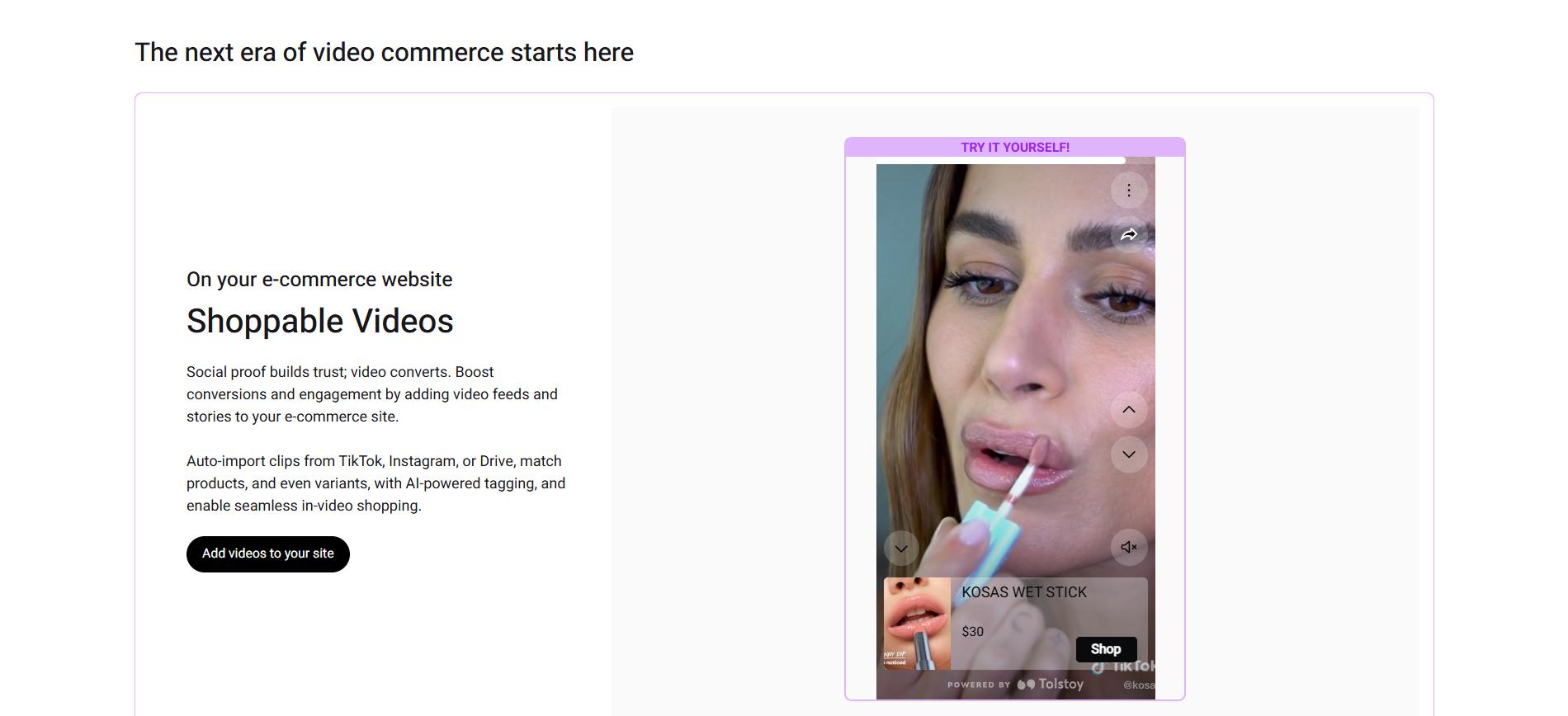
AI Player turns approved video into shoppable storefront content. Tolstoy can import media from connected sources such as TikTok and Instagram, associate it with products, and publish interactive galleries on product pages. Shop App publishing is available for eligible Shopify stores.
Power Conversational and Guided Shopping Experiences With AI Sales Agent
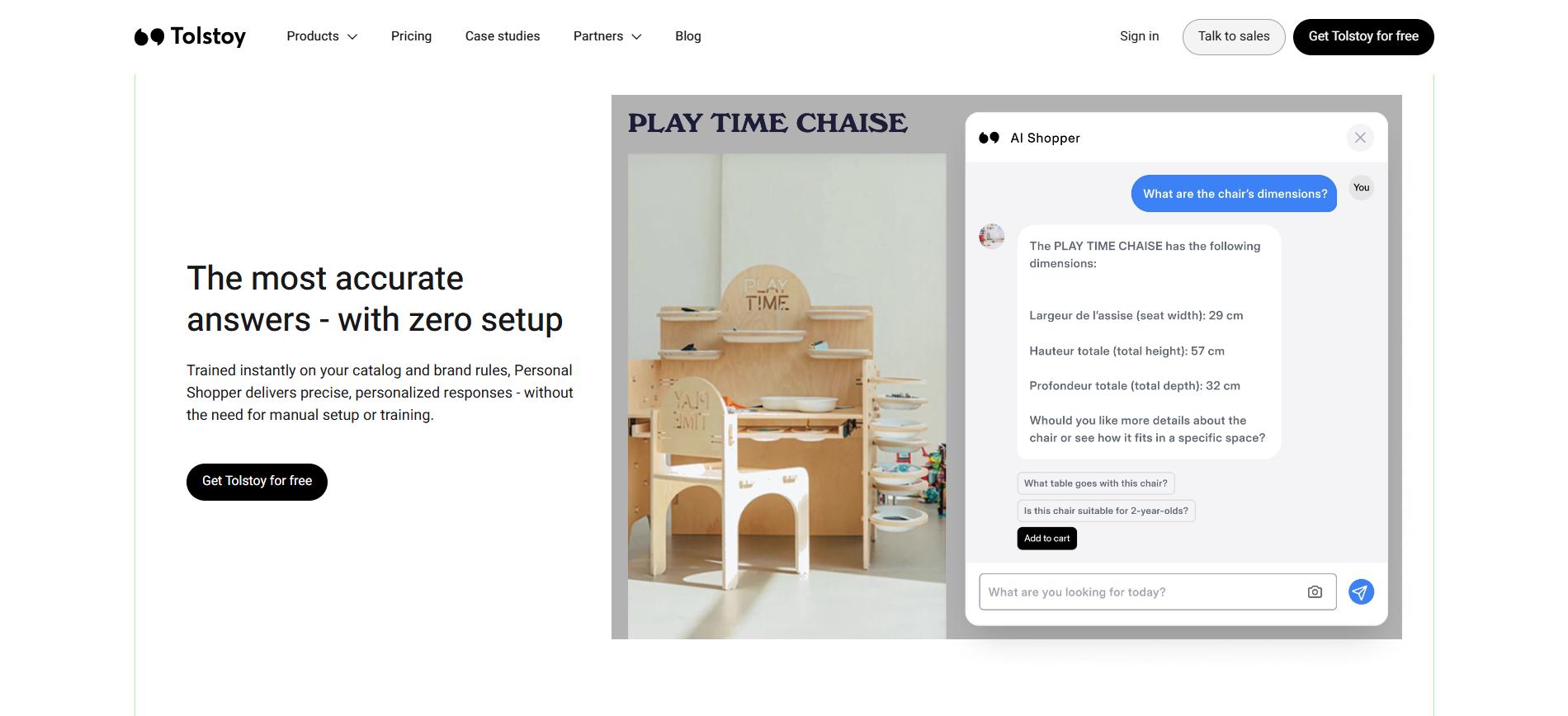
AI Sales Agent adds ChatGPT-like chats trained on your catalog, with virtual try-on, sizing advice, and in-chat add-to-cart. It answers top questions on PDPs, upsells to boost AOV by 150%, and builds customer profiles for Klaviyo syncs.
Add Clickable Product Tags and Shoppable Calls to Action
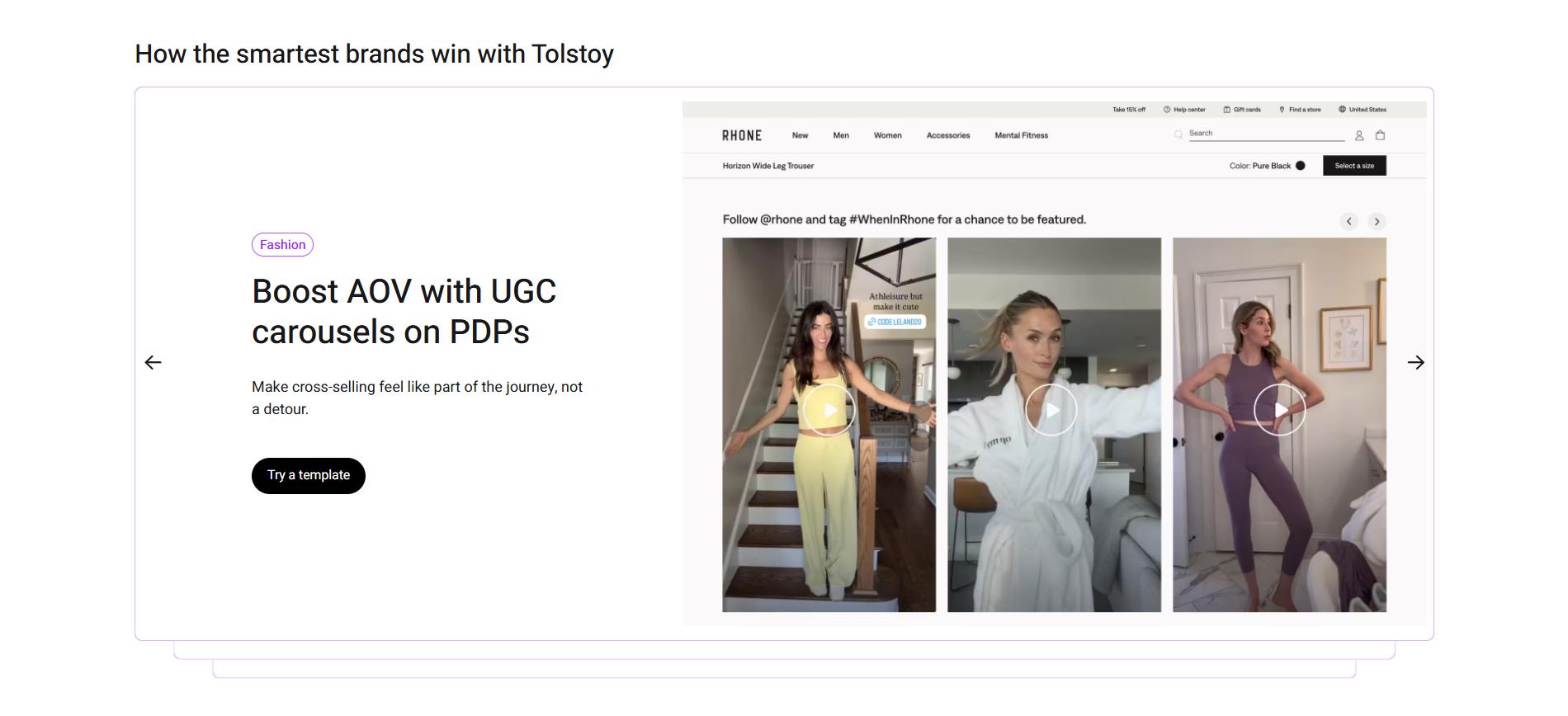
Tag products directly in videos for seamless clicks to cart, reducing friction in shoppable experiences. AI Player handles variant matching and CTAs, turning UGC or AI clips into revenue channels across sites and apps.
Embed Videos Across PDPs, Landing Pages, and Campaigns
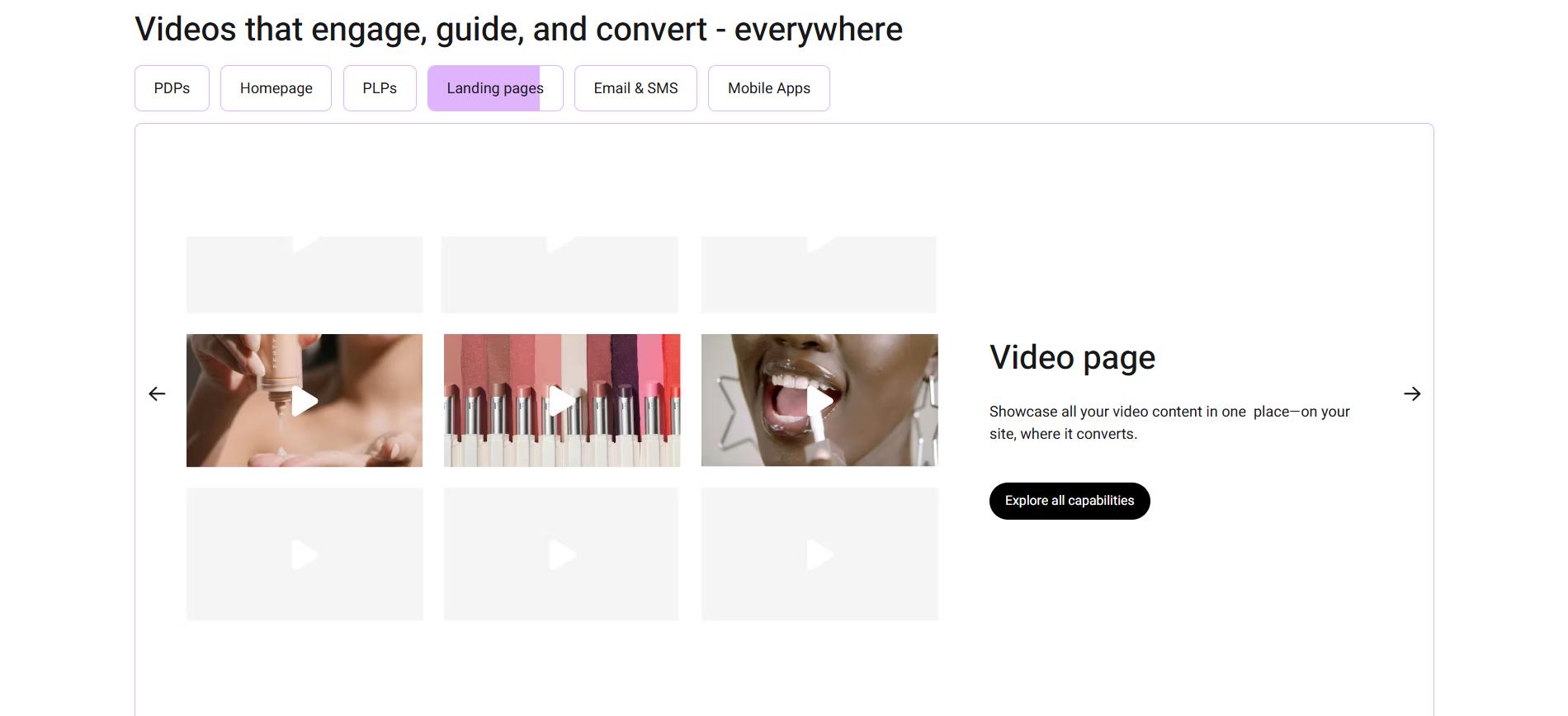
Place shoppable feeds on PDPs, hero banners, collections, and social landings via no-code embeds. AI Player optimizes for speed with lazy loading, supporting stories, carousels, and abandonment emails for full-funnel impact.
Integrate Seamlessly With Shopify and Other E-Commerce Platforms
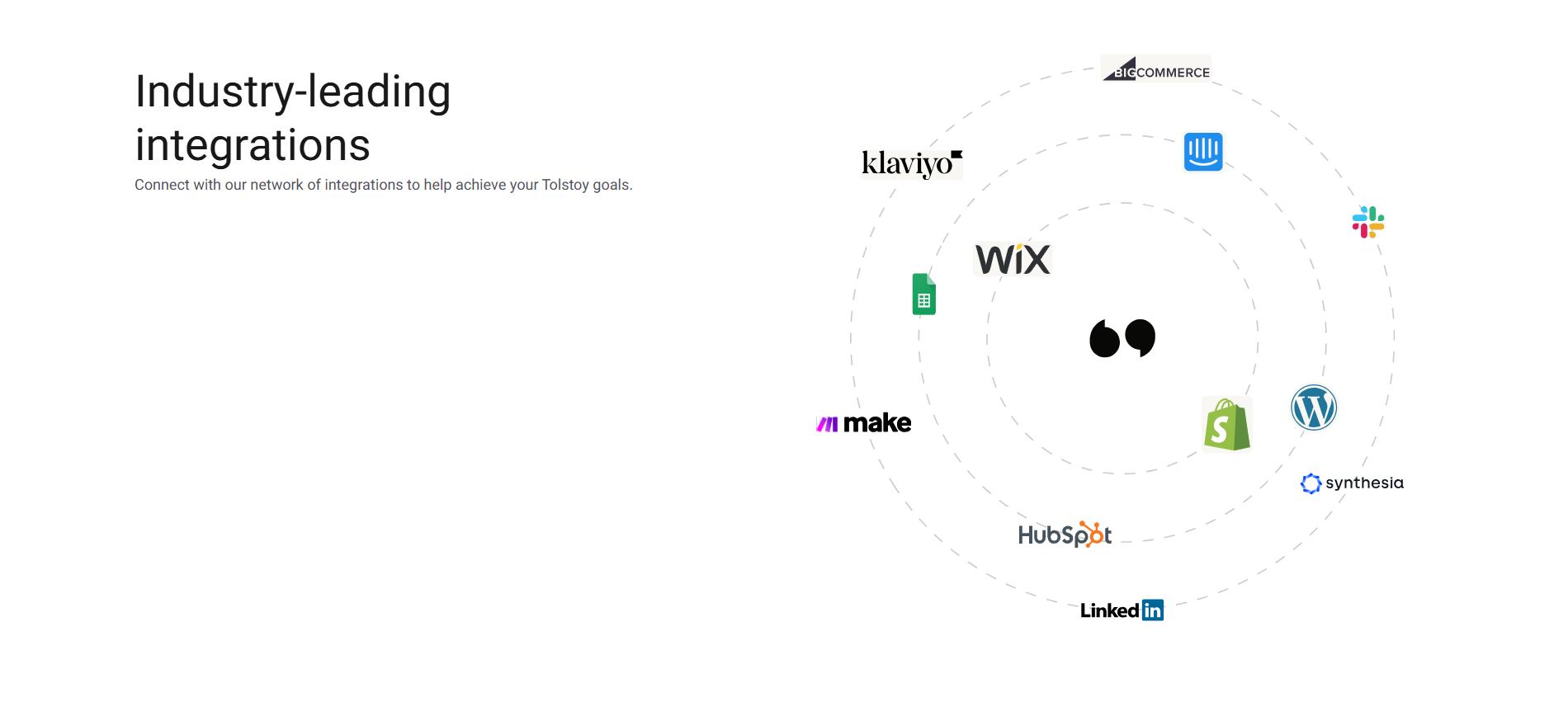
One-click Shopify installs auto-sync catalogs; supports WooCommerce, Magento, VTEX, Tapcart apps, Klaviyo, Gorgias, and Yotpo. Real-time data flow ensures personalized videos without custom development work (manual coding, API integrations, scripting, etc.).
Track Engagement, Clicks, and Revenue Attribution From Video
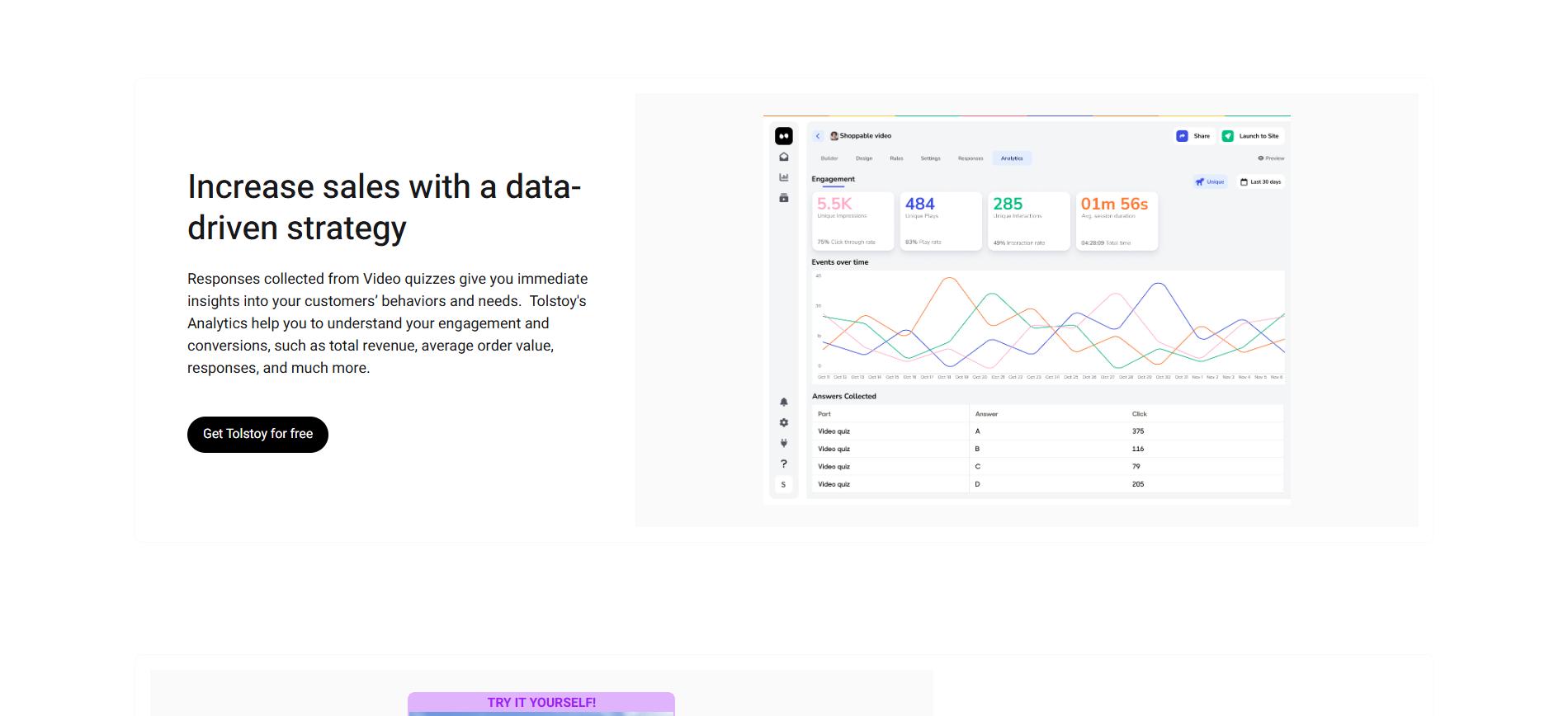
Analytics capture scrolls, clicks, AOV uplift, and conversions per asset. Tie video performance to revenue, auto-optimize with A/B testing, and refine strategies using insights from syndication and chats.
Conclusion
AI image-to-video technology expands how e-commerce teams use their existing product imagery. Instead of treating video as a limited creative asset reserved for a few products, teams can generate motion-based content directly from catalog images and deploy it across product pages, campaigns, and lifecycle channels. This shifts video creation into a repeatable workflow that aligns with merchandising operations and catalog updates.
The approach works best for brands that already maintain strong product image libraries but lack the capacity to produce traditional videos at scale. In those cases, AI generation introduces visual depth, motion, and storytelling without adding production complexity or new creative pipelines.
When paired with clear brand guidelines and channel-specific formatting, AI-generated product videos support broader catalog coverage, faster content refresh cycles, and more consistent visual experiences across the customer journey.
Frequently asked questions
How can small e-commerce teams start creating AI product videos without adding production workload?
Start by turning your existing product image library into short motion clips rather than producing new footage. Audit your catalog and identify products that already have clean, high-resolution images with neutral backgrounds. Choose an AI image-to-video workflow that connects directly to your catalog rather than exporting assets manually. Generate short PDP-ready clips (5–10 seconds) using subtle motion like pans or depth shifts. Publish the videos first on your highest-traffic product pages to measure engagement before scaling across the catalog. Explore Tolstoy’s guide to creating AI product videos for e-commerce .
What types of product images produce the best AI-generated videos?
Images with clear lighting, strong product separation, and consistent angles generate the most natural motion and depth effects. Use images with simple or studio backgrounds so the AI can easily isolate the product. Maintain consistent angles across product variants to allow smoother transitions in multi-scene videos. Avoid heavily compressed images or images with motion blur, which can create artifacts during animation. Provide multiple images (front, angle, detail) when possible so the AI can construct more dynamic sequences.
How should brands test AI-generated product videos across different marketing channels?
Treat video as a modular creative asset and tailor pacing, length, and framing for each placement. Use subtle, slower motion for product detail pages where shoppers are evaluating features. Generate fast-paced, vertical clips for paid social and discovery feeds. Test two or three visual styles per SKU (e.g., cinematic motion vs. feature highlights). Track engagement, clicks, and conversion impact to identify which style performs best per channel. Brands experimenting with channel-specific video formats often follow strategies similar to those in video advertising strategies for e-commerce .
How do high-growth brands scale AI-generated product videos across thousands of SKUs?
They treat video generation as a catalog workflow rather than a one-off creative project. Build reusable motion templates for different product categories (e.g., apparel, beauty, electronics). Sync the product catalog so videos automatically inherit titles, variants, and product metadata. Batch-generate videos for entire collections rather than creating assets product by product. Continuously refresh visuals when new images or seasonal campaigns are added. Explore how to use video to increase Shopify engagement .
How can Tolstoy AI Studio turn static product images into ready-to-publish product videos?
Tolstoy AI Studio converts catalog images into branded product videos automatically and publishes them directly to your store. Sync your Shopify catalog so AI Studio imports product images and metadata. Prompt the AI creative agent to generate motion styles like lookbooks, UGC-style clips, or PDP animations. Create multiple variations per SKU to test messaging, overlays, or pacing. Publish the generated videos directly to product pages without exporting or editing. Learn more about Tolstoy AI Studio , which lets brands generate and deploy studio-quality product videos at catalog scale.
Create with Tolstoy
Put these ideas into practice
Turn your product ideas into AI images, videos, and shopping experiences.