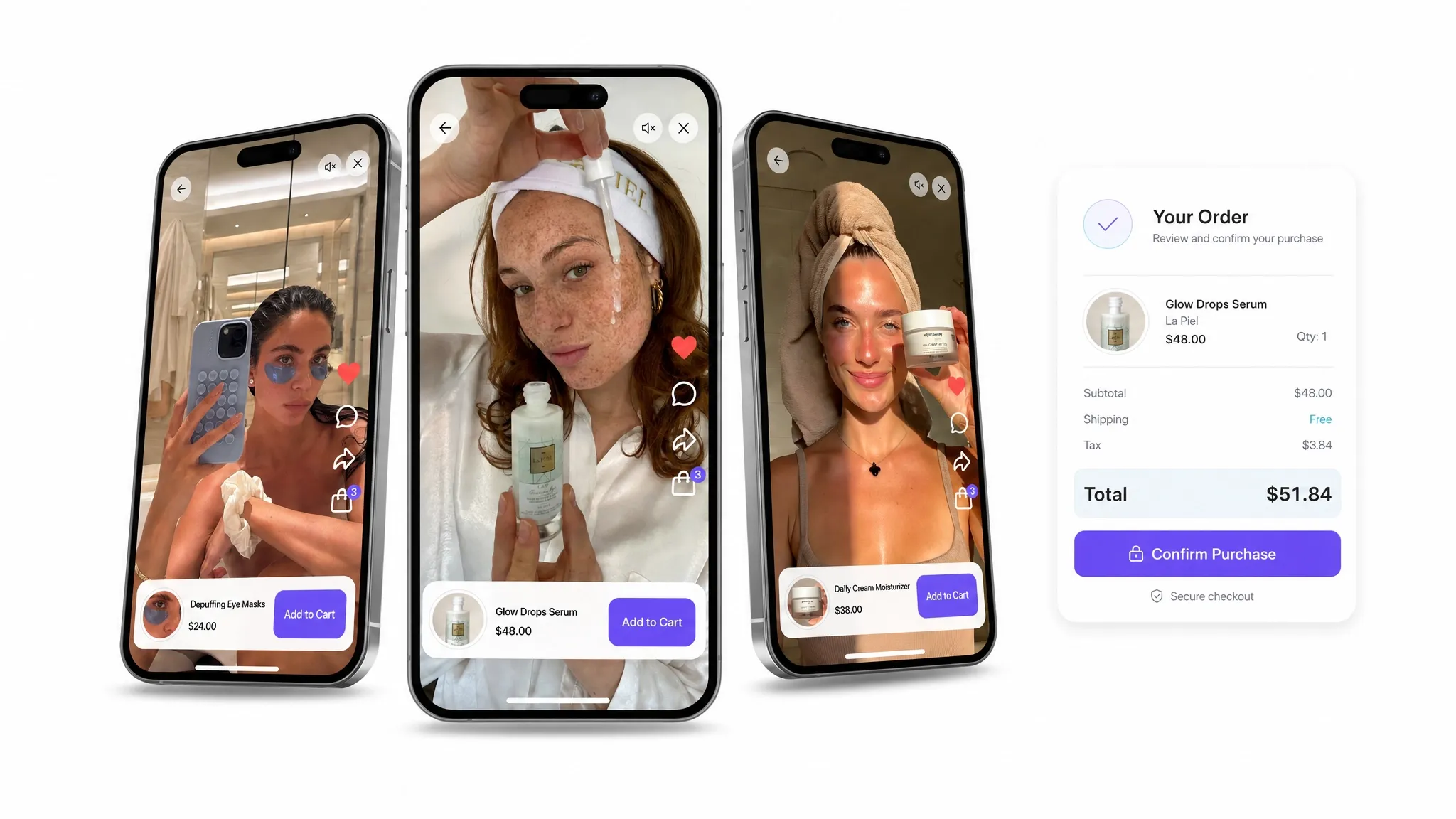
Quick answer: use a four-part UGC ad structure
A strong UGC-style ad should move through four simple beats: hook, problem, product solution, and CTA. The hook earns attention, the problem makes the ad feel relevant, the product shows the fix, and the CTA gives the viewer a clear next step.
- Primary formula: Hook -> Problem -> Product solution -> CTA
- Best for: paid social, PDP videos, email creative, shoppable video, and creator briefs.
- AI Studio use case: turn one framework into multiple AI-generated UGC-style ad variations for different angles, products, and channels.
The simple UGC ad formula
The best UGC-style ads usually do not feel like ads at first. They feel like a quick recommendation, a small discovery, or a creator talking through a real problem in their own words.
That is what makes the format useful for ecommerce teams: a strong UGC ad can introduce a product quickly, make the problem feel familiar, and give the viewer a simple reason to click.
- Hook: stop the scroll in the first few seconds.
- Problem: name the customer frustration clearly.
- Product solution: show why this product solves that problem.
- CTA: tell the viewer what to do next.
That structure keeps the ad easy to follow. It also gives every scene a job.
1. Start with a fast hook
The hook is the first moment that decides whether someone keeps watching.
It does not need to be overproduced. UGC often works better when the opener feels natural: a creator picking up the product, reacting to a detail, or saying something that sounds like it came from a real recommendation.
Hook examples
- "I have to show you something."
- "I finally found one that actually works."
- "If you are always dealing with this, watch this."
- "This looked too good to be true, but..."
The goal is not to explain everything. The goal is to create enough curiosity for the viewer to stay.
2. Name the problem clearly
Once the viewer is watching, make the ad relevant.
The problem should sound like something the customer already thinks, feels, or says. A vague problem makes the product feel random. A specific problem makes the product feel useful.
Problem example
"I always struggle to find a tote bag that is functional but still cute."
That line works because it gives the viewer a real buying tension. The customer does not just want a tote bag. They want one that fits their life without feeling boring or overly practical.
Good pain points are specific, believable, and easy to understand in one sentence.
3. Introduce the product as the fix
After the problem is clear, bring in the product as the answer.
This is where many UGC ads get too broad. Instead of listing every feature, focus on the traits that solve the problem fastest. If the issue is finding a bag that looks good but still holds everything, show the bag in use. If the problem is price, quality, fit, comfort, speed, or convenience, make that benefit obvious.
Product solution example
"Until I found this. It looks high quality, but it was not that expensive."
That kind of line feels like a discovery. It connects the product to the pain point without sounding like a polished brand script.
4. End with a clear CTA
A strong UGC ad should not fade out.
Once the viewer understands the product, tell them exactly what to do next. Keep the CTA short and direct.
CTA examples
- "Check out the link in my bio."
- "Tap to shop it."
- "You need to go get this."
- "I linked it here."
- "Try it before it sells out."
The CTA should match the ad placement. For TikTok, Instagram, creator whitelisting, and short-form paid social, casual language usually feels more native than formal copy.
UGC ad script template
Use this template when briefing a creator or building AI-generated creative:
I have to show you this. I always struggle with [specific problem], and most [product category] are either [bad option] or [bad option]. But I found this [product], and it actually [main benefit]. It has [supporting detail], [supporting detail], and it still [emotional or practical payoff]. Tap to shop it.
Example script
I have to show you this. I always struggle to find a tote bag that is functional but still cute. Most are either too bulky or do not fit enough. But I found this one, and it actually fits my laptop, makeup bag, and water bottle without looking huge. It looks high quality, but it was not that expensive. Tap to shop it.
How ecommerce teams can use this framework
This structure works well for product launches, paid social tests, PDP videos, email creative, and UGC programs.
Start with one product and write three variations:
- Curiosity angle: lead with a surprising or scroll-stopping opener.
- Problem angle: lead with the frustration the shopper already feels.
- Benefit angle: lead with the product outcome or strongest selling point.
Then keep the middle of the ad tight. The viewer should understand the product, the problem, and the reason to care within a few seconds.
The same structure can also help teams brief creators more clearly, because every creator knows the job of each section.
How to generate AIGC from this framework in Tolstoy AI Studio
Once you have the structure, you do not need to start every ad from scratch.
Tolstoy AI Studio helps ecommerce teams generate AIGC, including product videos, ad creative, and UGC-style assets, from existing product imagery, catalog data, and brand inputs. Instead of waiting on a full shoot or manually editing every variation, teams can use the same four-part framework to create more ad concepts faster.
AI Studio workflow
- Choose the product and audience. Start with one SKU, one buyer problem, and one channel.
- Write the four-part prompt. Give AI Studio the hook, problem, product solution, and CTA you want the asset to follow.
- Generate multiple creative angles. Test curiosity-led, problem-led, benefit-led, and product-led versions.
- Review for brand fit. Keep the output natural, specific, and useful instead of overly polished.
- Publish or repurpose the strongest assets. Use them across ads, product pages, email, social, or shoppable video placements.
Angles to generate first
- Top-of-funnel: a curiosity-led hook that introduces the product quickly.
- Consideration: a problem-led version for shoppers comparing options.
- Retargeting: a benefit-led version that reinforces the main reason to buy.
- Product page: a product-specific version that shows the item in use.
The goal is not to make every video look overly polished. The goal is to create useful, on-brand creative that still feels native to the way people watch and shop today.
With AI Studio, ecommerce teams can move from a single UGC script structure to a full set of AI-generated content variations. Teams that also use AI Player can bring those videos into shoppable experiences across the storefront.
Want to see this framework turned into catalog-specific ad concepts? book a free AI Studio demo.
Final takeaway
A strong UGC ad does not need a complicated script.
It needs a fast hook, a real problem, a product that clearly solves it, and a CTA that makes the next step obvious. Keep it relatable, easy to understand, and quick to watch.
When you are ready to scale that workflow, use Tolstoy AI Studio to generate UGC-style AIGC from your product assets and turn one good structure into many creative variations.
FAQ
What is the best structure for a UGC ad?
The best structure for a short UGC ad is hook, problem, product solution, and CTA. This flow makes the ad easy to understand and gives the viewer a clear next step.
How long should a UGC ad hook be?
The hook should usually happen in the first few seconds. It can be a quick line, product reveal, creator reaction, or familiar problem that makes the viewer want to keep watching.
How can ecommerce teams use AI Studio for UGC ads?
Ecommerce teams can use Tolstoy AI Studio to generate AI-created UGC-style ad variations from product imagery, catalog data, and brand inputs, then test different hooks, problems, benefits, and CTAs.
What does AIGC mean in ecommerce creative?
AIGC means AI-generated content. In ecommerce creative, that can include AI-generated product videos, images, ad concepts, and UGC-style assets created from product and brand inputs.
Create with Tolstoy
Put these ideas into practice
Turn your product ideas into AI images, videos, and shopping experiences.