Add product video to cart abandonment emails
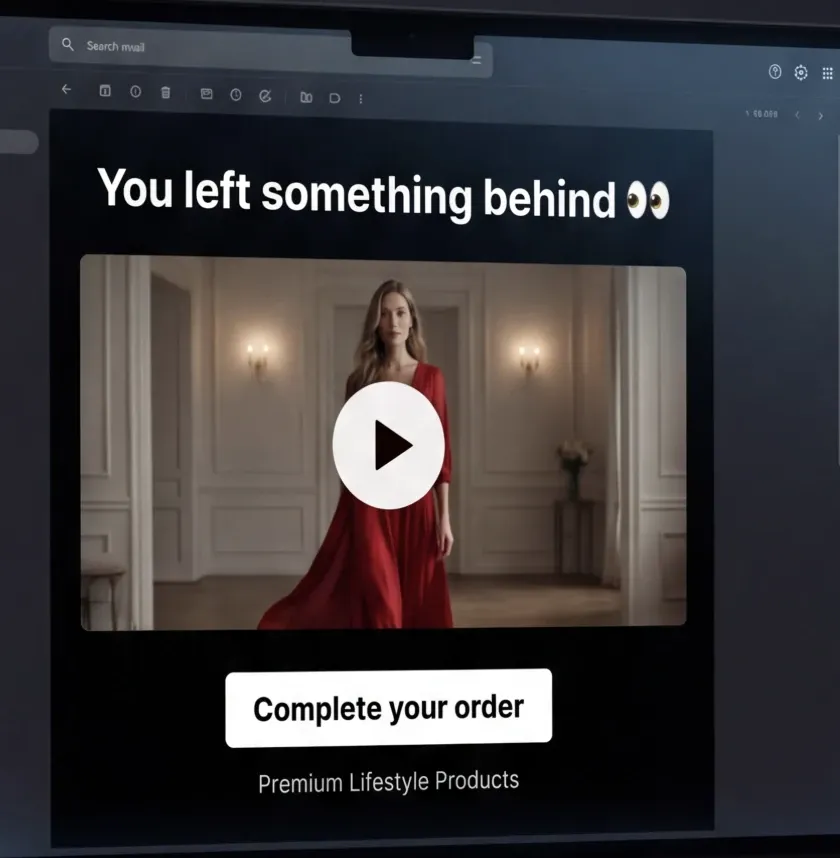
Tolstoy plans an abandoned cart flow that shows video of the exact product a shopper left, with the timing, copy, video picks and setup steps for your email platform.
What you need
- Tolstoy videos connected to the products they show
- Your email platform, and the abandonment flow you send today, if any
- Your offer, if you use one, and the timing you prefer
What you get
- A flow plan: number of emails, timing, subject lines and copy for each email
- The Tolstoy videos to feature, and the fallback for products with too few videos
- Setup steps for your email platform and a launch checklist with success metrics
How it runs
Tolstoy runs this playbook in 4 steps.
-
Fill in what is missing
The agent uses your store, brand context and videos, and asks only for what it cannot find, such as your email platform, offer or timing.
-
Plan the flow
It sets the number of emails, the timing, and the subject line and copy angle for each, and adds an offer only if you give one.
-
Match video to the product
It sets up the Tolstoy abandonment email block, which reads the product from Klaviyo and Omnisend flows, so each shopper sees videos of the product they left.
-
Set a fallback
For products with fewer than three videos, the block fills in from videos with a matching Shopify tag or from a fallback playlist you choose.
Check the result
- Send yourself a test with a real cart: the email shows videos of the product in that cart.
- Test a product with fewer than three videos: the block fills in from the tag or fallback playlist you chose.
- Read each email in the plan: the offer matches yours word for word, and no line adds urgency, stock levels or reviews you did not give.
Know the limits
- It plans and writes only. You paste the email code into your flow template, test the flow and turn it on in your email platform.
- Only Klaviyo and Omnisend flows show the abandoned product. On other platforms, the block shows a set of videos you choose.
When to use this playbook
Use it when your abandoned cart emails show a still product image and a discount, and your products have videos connected in Tolstoy. Because the block shows videos of the product each shopper left, one flow covers the whole catalog instead of one email per product. For more ways to make an email interactive, read six tips for interactive email campaigns.
Get better results
- Connect videos to products before you set up the block, because the block finds videos through those connections.
- Choose a fallback playlist with at least three strong general videos, such as best sellers or brand demos. A playlist with fewer cannot be a fallback.
- Change one thing at a time against your current flow. Keep the timing and offer the same, so the video is the difference you measure.
The prompt
“Run this playbook” opens Tolstoy with this prompt as a draft. Pick your products, edit anything, then send it.
Help me build a shoppable cart abandonment email flow with Tolstoy video. Use my products, brand context and Tolstoy videos already in my account, and ask only for what is missing: my email platform, offer, target audience, timing or success metrics. Recommend the flow structure, the timing of each email, subject lines and copy, which product-connected videos to show, how to set up the Tolstoy email block for my platform, including a fallback for products with few or no videos, and a launch checklist. Use only the offer I give you; do not invent a discount, urgency, stock levels or reviews. Prepare the plan only; do not send email or change a live flow.
FAQ
Does the video play inside the email?
The email shows animated previews of your videos. A tap opens the product page, a page you choose, the Tolstoy player or the original social post, depending on how you set up the block.
Which videos work best in an abandoned cart email?
Videos that answer the question that stopped the purchase, such as fit, size, texture or how the product works. The shopper already chose the product, so show it in use, as in a short demo or a creator try-on, rather than a general brand film.
Do emails already sent update when I change the videos?
In live playlist mode, the block shows the current videos, although mailbox image caches can delay the change. Snapshot mode keeps the exact videos from the code you copied.
Run it on your own catalog
Start free, connect your store, and Tolstoy opens this playbook for you. You review every result before anything goes live.