Plan a product launch email
Tolstoy turns a new product, your offer and your media into a launch email plan: structure, copy angle, video placement, a QA checklist and a way to measure the send.
What you need
- The product you are launching, from your connected catalog
- The offer, if any, and the customer segment you are sending to
- Real testimonials you can use, and any stock or date limits
What you get
- An email structure, copy angle and subject line options for the launch
- A recommended Tolstoy video placement for the product
- A QA checklist and a measurement plan
How it runs
Tolstoy runs this playbook in 5 steps.
-
Gather the facts
The agent reads the product from your catalog and brand context, and asks only for what is missing, such as the offer, segment or testimonials.
-
Pick the angle
It proposes the copy angle, what the first screen says, the order of the sections and where the call to action goes.
-
Place the video
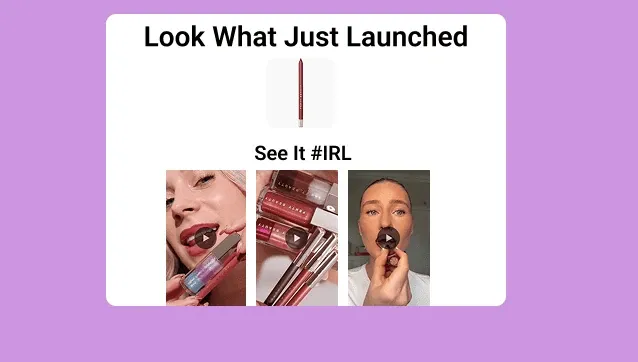
It recommends where a Tolstoy video block goes and which videos of the product to use, and a tap on a video opens the product page.
-
Plan the checks
You get a QA checklist for links, product facts, offer terms, mobile layout and the video block in your email platform’s preview.
-
Plan the measurement
The plan names the numbers to read after the send, such as click-through rate, conversion rate and block revenue, and what to compare them with.
Check the result
- Compare every product fact in the copy with the product page: materials, sizes and price match, and no feature is added.
- Read the subject line options: each one names the product or its main benefit, and none promises an offer you did not give.
- Open every link on the checklist: each goes to the right page, and the video block opens the launched product.
Know the limits
- It prepares the plan and copy only. You build, test and schedule the email in your email platform.
- The video placement needs videos of the new product in your Tolstoy library. Without them, the plan starts with images, and you add the block later.
When to use this playbook
Use it when a new product is about to go live and the launch email is still a blank template. The agent works from the real product data and the media you already have, so the plan reflects what the product is and what you can show. For ways to make the launch email interactive, read six tips for interactive email campaigns.
Get better results
- Select the product in the composer before you run the prompt, so the agent reads the exact catalog record.
- State the offer exactly as it will appear, with its terms. If there is no offer, say so, and the plan will not add one.
- Decide the main metric before the send, for example clicks to the product page.
The prompt
“Run this playbook” opens Tolstoy with this prompt as a draft. Pick your products, edit anything, then send it.
Help me launch a product email campaign for the product I select. Use my catalog, brand context and Tolstoy media already in my account, and ask only for what is missing: the offer, customer segment, testimonials I can use, any inventory or urgency constraints and my email platform. Then produce the email structure, copy angle, subject line options, where the Tolstoy video block goes, a QA checklist and a measurement plan. Use only product facts from my catalog. Do not invent a discount, urgency, stock levels, reviews or testimonials. Prepare the content only; do not send email or change a live flow.
FAQ
What should a product launch email include?
One product, one reason to care and one main call to action. Put the product name, what is new and the main button in the first screen, then proof, details and the offer if there is one. A short video of the product in use shows what a photo cannot.
Will the agent write urgency or scarcity lines?
Only from facts you give it. If you share a real stock limit or end date, the copy can use it. The prompt tells the agent not to invent urgency, discounts or testimonials.
Can I see how the video block performed?
Yes. Tolstoy email analytics show opens, clicks, click-through rate, conversion rate and revenue for the block, with a table of recipients.
Run it on your own catalog
Start free, connect your store, and Tolstoy opens this playbook for you. You review every result before anything goes live.