Storefront · Runs on a schedule
Rewrite thin product page copy every day
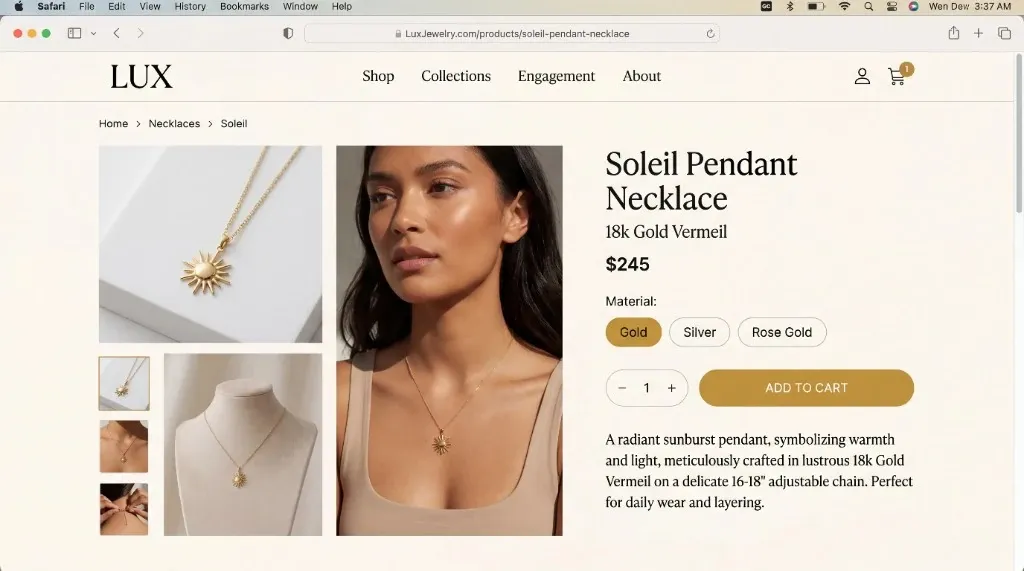
Every day, Tolstoy finds products with thin copy and writes paste-ready titles, descriptions, SEO fields and alt text in your brand voice, without editing Shopify.
What you need
- A connected Shopify store
- Brand voice notes in your Tolstoy brand context (optional)
What you get
- Paste-ready title, description, meta title, meta description and alt text for each flagged product
- A one-line note on what was weak, with flags such as [missing: material] for specs Shopify does not have
- A count of products processed and products left for the next run
How it runs
Tolstoy runs this playbook in 4 steps.
-
Load your voice
The routine reads your brand voice from your brand context files, or from the descriptions of your five best-selling products when there are none.
-
Find thin copy
It flags new products with descriptions under 30 words, and existing products with descriptions under 50 words, generic meta fields, missing alt text or SKU-only titles.
-
Prioritize the list
New products come first, then weak products ranked by price times inventory, up to 20 per run, skipping products it already did unless they are still weak after 60 days.
-
Write each field
Each product gets a title under 70 characters, an 80–200 word description, a meta title under 60, a meta description under 155 and unique alt text per image.
Check the result
- Compare each spec in the copy with the Shopify product: material, size and care match, and nothing is added.
- Read the title, meta title and first line of the description: they are three different sentences, and none mentions price.
- Read the alt text for one product: every line is different, describes its own image and does not start with "Image of".
Know the limits
- Shopify stays read-only. The copy stays in the routine chat, and you paste what you approve into Shopify yourself.
- Up to 20 products per run. A large catalog takes several daily runs, with new products first.
When to use this playbook
Use it when your catalog has grown faster than your copy: supplier descriptions, two-line descriptions, SKU-only titles and images with no alt text. It also suits stores that add products every week, because each new product gets draft copy on the next daily run. For what AI shopping agents need from a product page, read how to make Shopify product pages ready for AI sales agents.
Get better results
- Add voice notes to your brand context: words you use, words you avoid and one description you like.
- Fill in material, dimensions and care in Shopify. The routine writes only from Shopify data, so a missing spec becomes a flag, not copy.
- Tag and categorize products consistently. The routine sets the tone by them: colorway and silhouette for sneakers, fabric and fit for apparel, use and styling for accessories.
Schedule
Every day at 4:00 in your time zone; you can change the time. “Set up this routine” opens the routine in Tolstoy, where you check its connections and time. Nothing runs until you save it.
FAQ
How can I automate product descriptions and meta titles using AI?
Use a scheduled routine that finds weak copy and drafts the new fields in your brand voice for review. This one runs every day and writes the title, description, meta title, meta description and alt text for each flagged product, with every spec taken from your Shopify data.
Will it overwrite copy that already works?
No. Strong copy, meaning 100 or more words, benefit-led and recently edited, is skipped and logged.
How does it write image alt text?
It looks at each product image, notes the shot type and what is visible, and writes alt text under 125 characters for that image.
Run it on your own catalog
Start free, connect your store, and Tolstoy opens this playbook for you. You review every result before anything goes live.