Create an email product feature
Tolstoy makes one wide product image for your email plus a subject line, preview text, short body and CTA, with all copy kept out of the image so you can edit it.
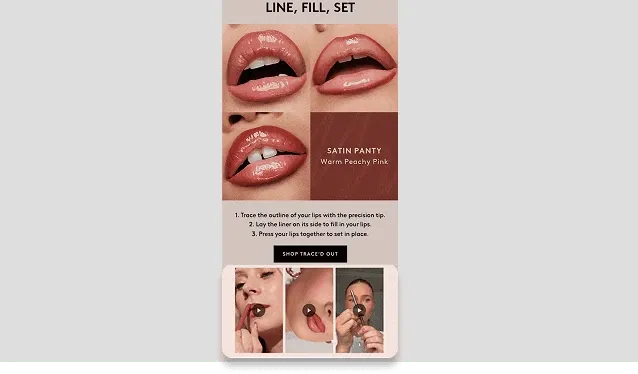
What you need
- The product you want to feature, from your catalog or an uploaded photo
- The campaign goal, and the offer if there is one
- Brand context or a reference image for the look (optional)
What you get
- One landscape product image with room around the product for your email layout
- Subject line, preview text, body copy and call-to-action text
How it runs
Tolstoy runs this playbook in 4 steps.
-
Select the product
You attach the product, and Studio works from its real images and catalog facts, not from a lookalike.
-
Give the goal and offer
You tell the agent what the email is for, and it uses your offer exactly as given and never adds a discount.
-
Generate the image
The agent makes one landscape image that shows the product clearly, with room for the email layout and no text in the image.
-
Write the copy
You get a subject line, preview text, a short body and a call to action as text for your email editor.
Check the result
- Compare the image with your product photo: shape, color, print, logo and label text are the same.
- Look for text in the image: there is none, so every word stays editable in your email tool.
- Read the copy: the offer matches yours word for word, and no line adds a discount, claim or review.
Know the limits
- It prepares the image and copy only. You add them to your email and send it from your email platform.
- One product per run. For a campaign, run it again for each product, or ask in the same chat to repeat the format so the set matches.
When to use this playbook
Use it when you need a product block for a newsletter or campaign and your product photos do not fit an email layout. Most product photos are square or portrait and fill the frame. An email block usually needs a wide image with space around the product, and copy that you can still edit.
Get better results
- Give the campaign goal in one line, such as “restock announcement” or “gift guide for runners”.
- State the offer exactly as it will appear, including its terms. If there is no offer, say so.
The prompt
“Run this playbook” opens Tolstoy with this prompt as a draft. Pick your products, edit anything, then send it.
Use the products, images and brand context already attached. If an essential input is missing, ask only for that input before generating. Treat catalog facts and supplied references as the source of truth. Create one landscape product image plus a subject line, preview text, short body and CTA for an email featuring my selected product. Use the campaign goal and offer I provide; do not invent a discount. Keep copy out of the image so it stays editable in the email tool. Show the product clearly with room for the surrounding email layout. Prepare the content without sending or changing a live flow. Keep the real product shape, proportions, construction, print, color, logos and readable labels intact. Do not invent product features, claims or reviews.
FAQ
Why is there no text in the image?
Text inside an image cannot be edited in your email tool, and shoppers whose email client blocks images would not see it. Live text stays editable and readable.
Can I match the look of my past emails?
Yes. Attach an image from a past email you liked and ask the agent to match its light and background. The product itself stays as it is in your catalog.
Does the copy follow my brand voice?
It follows the brand context attached to the chat. Add voice notes there, or paste a past email you like, and the agent writes the subject line and body in that tone.
Run it on your own catalog
Start free, connect your store, and Tolstoy opens this playbook for you. You review every result before anything goes live.