Quick answer: route every image, publish only what passes
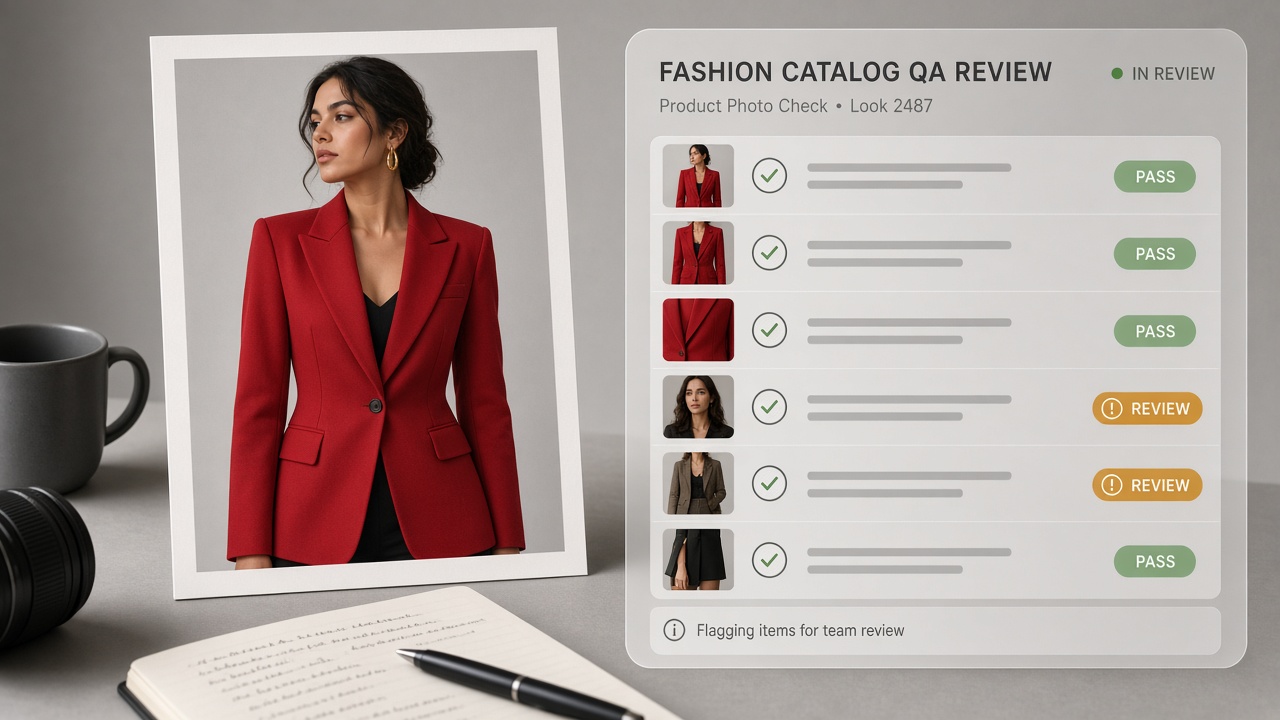
Garment-fidelity QA is a gate between AI on-model image generation and the product page: each output is checked against its source product photo, attribute by attribute, and routed to one of three lanes — pass, human review, or reject — before anything is published.
Most catalog and marketplace teams have already answered whether AI can produce a usable on-model image. The objection that stops rollout is the next one: nobody wants to publish thousands of images that no person has checked, and nobody has the reviewer hours to check thousands of images closely. A fidelity gate is how those two positions meet.
- Fidelity is not quality. The question is whether the garment in the image is the garment you ship, not whether the image is attractive.
- Score attributes, not impressions. Color, print, silhouette, construction, and trims each pass or fail on their own.
- Three lanes, not two. Clear passes, clear rejects, and an uncertain middle that goes to a person.
- Earn auto-publish. The confidence threshold starts at "nothing auto-publishes" and moves only with evidence from your own review decisions.
- Where it fits: the gate is one stage of the full pipeline described on AI fashion catalog production at scale.
Why unsupervised publishing fails
The failure mode of AI on-model images is rarely an obviously broken picture. Obvious breakage gets caught. The expensive failures are plausible images of a slightly different product:
- A navy piping becomes black, or a heather gray becomes flat gray.
- A print repeats at the wrong scale, or a placed motif moves off-center.
- A five-button placket gains a button, or a zipper becomes a seam.
- A cropped hem becomes a standard length, or a strap changes width.
- Printed text or a logo comes back almost right.
Each of these looks fine in a grid of thumbnails. Each is also a claim on a product page about what the customer will receive. On a single brand's store, that is a returns and trust problem. On a marketplace or multi-brand catalog, it is also a supplier and compliance problem, because the listing no longer matches the item the supplier delivers.
Volume makes it worse, not better. The whole point of generated production is to cover the long tail that never got a shoot, which means the images most likely to publish unchecked are also the ones nobody on the team knows well. And errors are not evenly spread: they cluster in particular categories, fabrics, and source-photo problems, so a clean first batch says little about the next one.
That is why "review everything by eye" and "publish everything automatically" both break at catalog scale. The first runs out of people. The second runs out of trust the first time a customer posts the difference.
What a fidelity gate checks
A fidelity gate compares each output to its source product photo — the flat lay, packshot, or supplier image the output was generated from — not to other outputs and not to a written description. Comparing outputs with each other tells you they are consistent. It does not tell you they are accurate.
Break the comparison into attributes that can each fail independently:
- Silhouette and proportion. Overall shape, length, volume, neckline, and sleeve.
- Color. Base color and every trim color, judged against the real product, not the lighting of the scene.
- Print and pattern. Scale, direction, repeat, and where a placed print lands on the body.
- Construction. Seams, panels, pleats, darts, pockets, and closures.
- Trims and hardware. Buttons, zippers, buckles, drawcords, and their count and position.
- Logos and text. Present, legible, spelled correctly, correctly placed — or correctly absent.
Scoring per attribute is what makes the gate useful. A single overall number hides which thing went wrong, which means nobody can tell whether to fix the source photo, the creative direction, or the category's threshold. An attribute-level result also turns into a precise regeneration instruction instead of "try again."
Keep fidelity separate from the other checks an image goes through. Whether the model, lighting, crop, and styling match the brand is a consistency check. Whether a logo needs repair is a finishing task. Folding them into one score makes every rejection ambiguous.
Pass, review, reject: the three lanes
The gate does not decide whether an image is good. It decides where the image goes next.
- Pass. Every attribute check is confidently clear. The image moves toward publishing — at first with a person still approving it, later, for categories that have earned it, with sampled spot checks.
- Review. One or more attributes are uncertain, or the checks disagree with each other. A person looks at the image beside the source and makes the call.
- Reject. An attribute clearly fails. The image goes back for regeneration with the failed attribute named, or to manual finishing if regeneration keeps missing the same detail.
The middle lane is the important one. A gate that only knows pass and fail forces every uncertain image into one side or the other, which either leaks errors onto product pages or throws away usable work. Uncertainty is information: it is exactly where a reviewer's time is worth the most.
Some things should route to review no matter what the checks say: new categories, new suppliers, sheer or reflective fabrics, heavy embellishment, and any product where printed text or a logo is part of what the customer is buying.
Setting the auto-publish confidence threshold
An auto-publish confidence threshold is the point above which an image may publish without a person approving it individually. It should be the last thing you turn on, not the first.
- Run the gate in shadow mode. Score every image, but have reviewers decide every image anyway. The gate's output is recorded, not acted on.
- Compare scores with decisions. For each category, look at what reviewers approved and rejected across the range of scores. The question is whether a band of high scores contains any rejections at all, and what they were.
- Set thresholds per category. A plain jersey tee and a printed wrap dress do not fail the same way. One catalog-wide number is either too strict for easy categories or too loose for hard ones.
- Open the pass lane narrowly. Let only the band that has been reliably approved over several batches skip individual review, and keep a sampled audit of those passes.
- Close it fast. A rejection found in an audited pass, a new supplier, or a change to the creative direction sends that category back to full review until it earns the lane again.
This is slower than switching on auto-publish on day one. It is also the only version a catalog or marketplace lead can defend when someone asks why an image went live, because the answer is evidence from your own catalog rather than a vendor's benchmark.
Human review for the misses
The gate concentrates reviewer time; it does not remove it. Design the review lane so that time is spent well.
- Show the source beside the output. Reviewers should never have to go find the original photo.
- Show why the image is there. Surface the uncertain or failed attributes so the reviewer checks those first instead of re-inspecting everything.
- Decide in one of three ways. Approve, regenerate with a named correction, or send to manual finishing. Record which.
- Batch by category. Reviewers catch print and construction errors more reliably when they stay in one category's reflexes.
- Feed decisions back. Every reviewer decision is calibration data for the thresholds. A review lane that does not feed back is just a queue.
Track rejection reasons by attribute and category. If color fails repeatedly in one supplier's products, fix that supplier's source photos. If construction fails across a category, revisit the direction or keep that category in full review. The reasons tell you what to fix; the scores alone do not.
Fitting the gate into a catalog production pipeline
The gate belongs between generation and publishing, inside the weekly batch rather than beside it:
- Intake. Source photos are checked against an input standard before anything is generated. Many fidelity failures start as a cropped, shadowed, or low-resolution source.
- Generation. Each SKU runs against the saved creative direction for its category.
- Fidelity gate. Each output is compared with its own source and routed to pass, review, or reject.
- Review. People clear the review lane and audit a sample of passes.
- Publish. Approved images go to the PDP, collection pages, and channels. Rejects re-enter the next batch.
The run-book for the stages around the gate — shot-list templates, intake standards, saved direction, and batching — is covered in how to produce on-model catalog photos at high-SKU scale.
Two limits are worth writing into the process explicitly. First, a fidelity gate checks the garment against its photo; it cannot check the photo against the physical product, so a wrong or outdated source image passes cleanly. Second, on-model output is a creative visualization. Passing fidelity QA means the garment matches its source, not that it shows how the garment fits or drapes on a real body, and it should never be presented as if it does.
Where Tolstoy fits
In Tolstoy AI Studio, on-model images, detail crops, and product video are created per SKU from an approved flat lay, packshot, or supplier photo, against Brand DNA and a saved creative direction. Every output is reviewed against its source product before it is approved, refined, regenerated, or finished manually — nothing publishes on its own. Approved assets are then exported or sent through a connected publishing workflow to product pages and channels.
That review step is the natural home for the gate described here: the source and the output side by side, a decision per asset, and approved work with a route to the storefront. The thresholds, the lanes, and the categories that stay in full review are yours to set.
Start with shadow mode on one category
Pick one category with real volume and a known failure pattern. Generate a batch, record a fidelity judgment per attribute for every image, have reviewers decide every image anyway, and compare the two. After a few batches you will know which attributes fail in that category, whether any band of results is safe to fast-track, and how much reviewer time a gate would actually save.
See how the full pipeline runs from catalog to PDP on AI fashion catalog production at scale, or talk to our team about putting your catalog through it.
Frequently asked questions
What is garment-fidelity QA for AI fashion images?
It is a check that an AI-generated on-model image shows the same garment as the source product photo — same silhouette, color, print, construction, and trims — before the image is allowed onto a product page. It is separate from asking whether the image looks good or looks on-brand. A beautiful image of the wrong garment fails fidelity QA.
What is a garment fidelity score?
A per-image judgment of how closely the output matches the source garment, usually built up from attribute-level checks such as color, print, silhouette, and construction rather than from a single overall impression. Whether it comes from an automated rater, a person, or both, it is only useful if it is calibrated against the decisions your own reviewers make on your own catalog.
How do you set an auto-publish confidence threshold?
Start with no auto-publish at all. Score every image, have people review every image anyway, and compare the scores with what reviewers approved and rejected. Only when a band of scores has been reliably approved on a category, over several batches, is it reasonable to let that band publish with spot checks. Set thresholds per category, because a plain knit and a printed dress do not fail the same way.
Can an automated QA gate replace human review of AI fashion images?
It can reduce how many images a person has to look at closely, but it should not remove people from the decision. The gate's job is to route: clear passes, clear failures, and the uncertain middle. People review the middle, audit a sample of the passes, and own the thresholds. Anything the gate is not built to judge, such as how a garment fits a real body, still needs a person or a real photo.
Which garment details fail fidelity checks most often?
Small, high-information details: logos and printed text, print scale and placement, trims and hardware such as buttons, zippers, and buckles, and exact color. Silhouette and length errors are rarer but more serious when they happen. Track your own failure reasons by category rather than relying on a general list, because your catalog decides which of these matter most.
Is fidelity QA the same as brand consistency review?
No. Brand consistency asks whether the image matches your models, lighting, setting, crop, and styling rules. Fidelity asks whether the garment is the one you sell. An image can pass one and fail the other, so treat them as two separate checks with two separate failure reasons.
Create with Tolstoy
Put these ideas into practice
Turn your product ideas into AI images, videos, and shopping experiences.