Publish TikTok Shop videos that link straight to the product
Turn a Shopify product video into a TikTok Shop post that links to the right listing. Check seller, creator and product, publish, then tap the link to confirm.
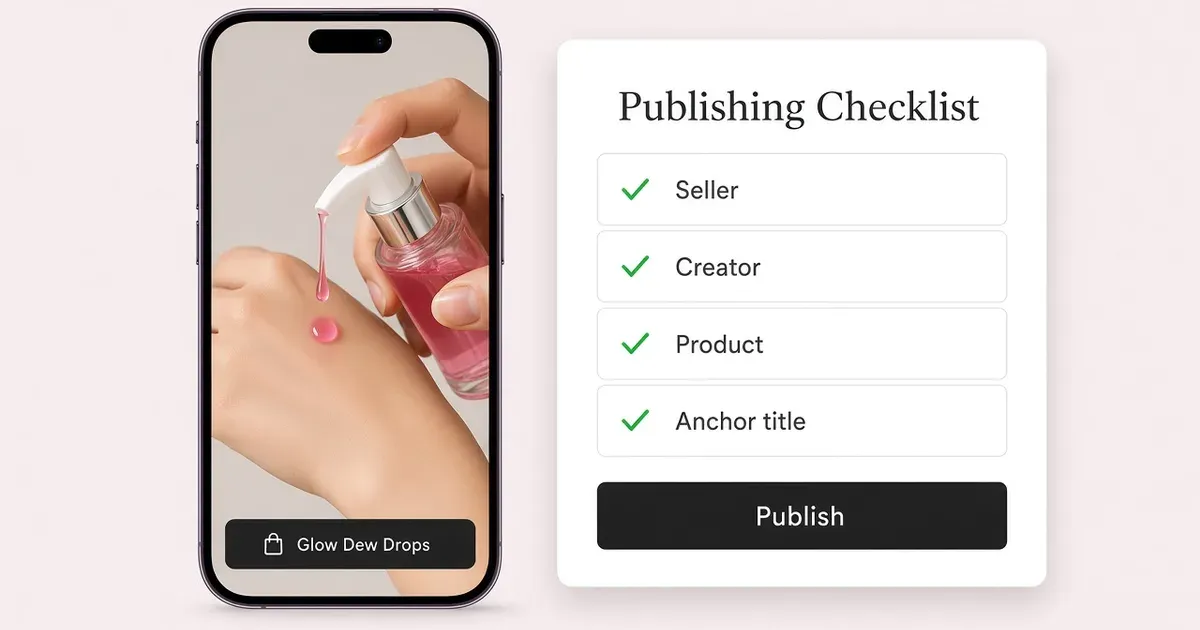
Make every video a path to the product
TikTok’s Glow Recipe case study describes the brand connecting its Shopify catalog and using product links in organic videos. Its Watermelon Glow Niacinamide Dew Drops make a clear example: the brand shows shoppers to use one to two pumps before makeup, so a clip of that step should take the viewer straight to Dew Drops. TikTok’s Glow Recipe story · Dew Drops product and application directions
| Check before publishing | What to verify |
|---|---|
| Seller | The connected TikTok Shop owns the listing. |
| Creator | The post will appear from the intended creator account. |
| Product | The linked listing is the approved 40 mL Dew Drops in the US example. |
| Anchor title | A recognizable name, such as Watermelon Glow Dew Drops. |
Publish in four steps
- Confirm the listing. Your Shopify store needs TikTok Shop in a supported market. In TikTok Shop, the product is approved, live and in stock, and its seller, title, size and image match the bottle in the video. US TikTok Shop listing · Shopify channel setup
- Prepare the post in Tolstoy. In the TikTok Shop connection, connect the seller and the creator account you publish from. Choose a cleared application video, attach the TikTok Shop item, select the creator, and enter the anchor title and caption. For this example the anchor title is Watermelon Glow Dew Drops.
- Review on mobile and publish. Check the account, first frame, product name and caption, then publish now or schedule. Track the status in Tolstoy; if a post fails, its status detail tells you what to fix.
- Tap the link in TikTok. Open the live post on the creator’s profile and tap its product link. It opens the right product and size in the intended seller’s shop. Tolstoy’s TikTok Shop workflow · TikTok’s shoppable video requirements
Draft brief. “Prepare a TikTok Shop post for this approved Dew Drops application video. Show me the seller, creator, product listing, anchor title, and caption together before I publish.”
Want the same clip on your store? Turn TikTok videos into shoppable videos on Shopify.
What to do
- Check the TikTok Shop listing is live and matches the product in the clip.
- Connect the seller and creator in Tolstoy and set a clear anchor title.
- Tap the product link on the live post before you publish the next one.
Set it up on your own store
Start free, connect Shopify, and run this workflow on your own products. You approve every result before shoppers see it.
FAQ
What do I need to publish a product-tagged TikTok Shop video?
A Shopify store with access to TikTok Shop in a supported market, an approved and in-stock TikTok Shop listing, and the seller and creator accounts connected in Tolstoy.
What is the anchor title?
The title of the product link on the video. Use a name shoppers recognize, such as Watermelon Glow Dew Drops in the example.
How do I confirm the product link works?
Open the live post on the creator’s profile and tap its product link. It opens the right product and size in the intended seller’s shop.
Can the same clip go on my Shopify product page?
Yes. Import the TikTok clip into your Tolstoy library, tag the Shopify product and publish it as a shoppable video on the product page.
Open it in Tolstoy
Connect your Shopify store and Tolstoy sets up this workflow with you, step by step.