What you receive
Draft copy or localized records for review. Agree the required columns, locale and import format with your receiving team.
TOLSTOY FOR PRODUCT CONTENT & LOCALIZATION
Turn the product facts you have into the catalog content you need. Preserve SKUs, fill content gaps and adapt approved copy for each market.
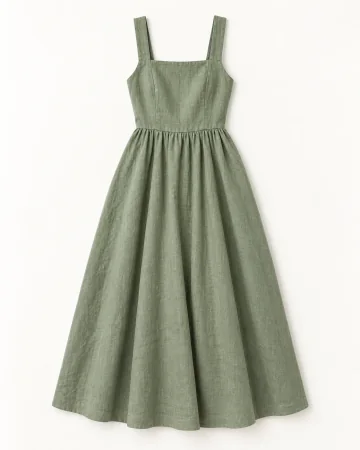
Title ✓
Color ✓
Material Review source
Local copy For review
HOW OTHER TEAMS USE TOLSTOY
YM Inc. teams turn source screenshots and product information into SKU-based copy and spreadsheets. French Canadian copy goes through local review so the language and product facts stay aligned.
YOUR FIRST RESULT
Start with ten records and approved product information.
Draft copy or localized records for review. Agree the required columns, locale and import format with your receiving team.
Flag missing facts instead of filling them in. Preserve SKUs, verify terminology and confirm any PIM or ERP connection separately.
Bring the source files and name the reviewer. Confirm the connections, destination and usage for your first job. Need help with setup? Explore Tolstoy Forward.
THE EVERYDAY WORK
Write from product images and verified source information, with missing facts flagged for the team.
Keep product identifiers and worksheet structure intact while filling the requested content fields.
Adapt reviewed copy to the market and brand glossary, then pass it to a local reviewer.
Pull the details from supplied product tags, photos and source screenshots into the correct content fields.
YOUR STARTER PACK
Pick one real job. Bring the inputs, review the first result, then build on what works.
Complete these ten product records using only the supplied sources. Preserve SKU IDs and worksheet structure. Mark missing facts instead of inventing fabric, care or size information.
Opens a draft in Tolstoy. Add your inputs to begin.
Localize this approved product copy for French Canada using our glossary. Preserve product facts and flag terms that need a local reviewer.
Opens this task in the bot template. Review it before starting.
Suggest tags for these new products using our existing taxonomy. Show additions separately and preserve existing tags unless we explicitly approve a replacement.
Opens a draft in Tolstoy. Add your inputs to begin.
MEET YOUR BOTS
Match a template to the starter tasks above. Explore their instructions, inputs and review steps.
GO A LITTLE DEEPER
MAKE IT YOURS
Bring one real brief and the output your team needs. We’ll walk through the workflow, confirm setup and review responsibilities, and discuss the right level of support.
Discuss your first workflow