Try-On Video
A 6-second vertical video of your garment on a model: a walk toward the camera and a turn.
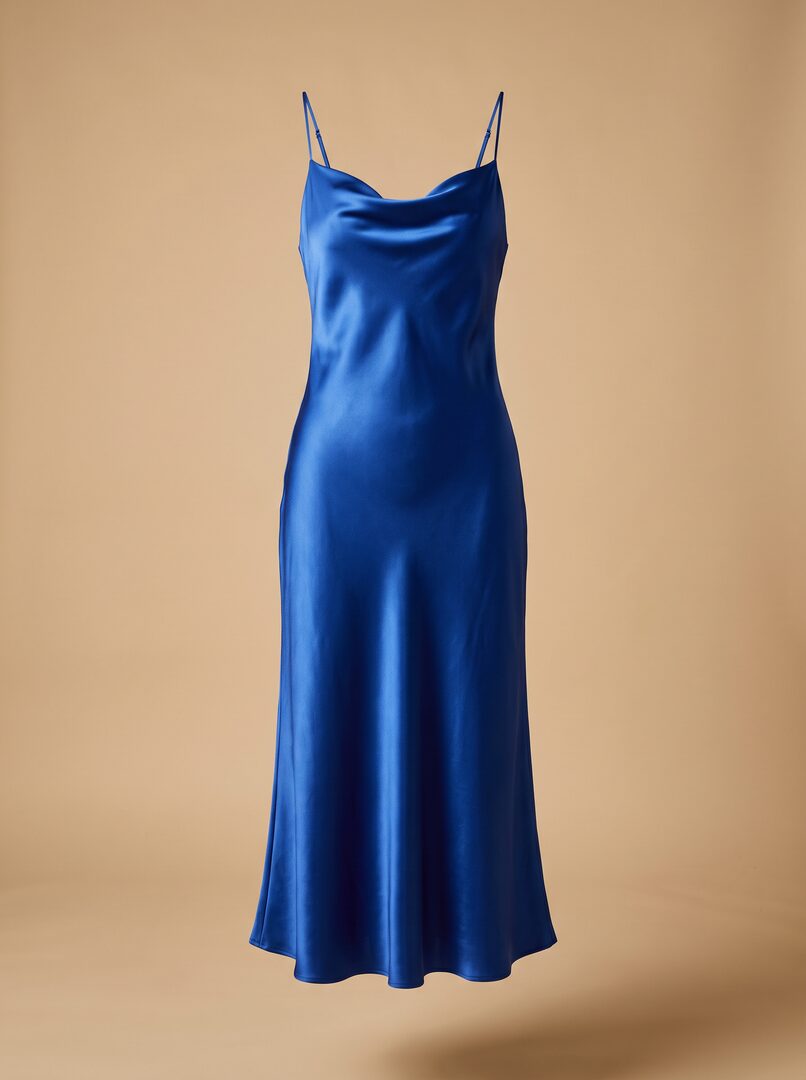
Use @Tolstoy to run /try-on-video. Make a 6-second vertical video of a Tolstoy model wearing this garment: a short walk toward the camera and a turn that shows the fit.
Full prompt
Use @Tolstoy to run /try-on-video.
Make a 6-second vertical video of a Tolstoy model wearing this garment: a short walk toward the camera and a turn that shows the fit.

Reference media:
- [Reference 1](https://www.gotolstoy.com/mcp-use-cases/try-on-video/cobalt-slip-dress-reference.jpg)

Use my own photo or product link instead of the reference if I give one.
Make the video with Tolstoy. If my workspace is on the Free plan, make Tolstoy's 480p preview and tell me full quality needs a paid plan; do not make the video another way.
If the Tolstoy plugin is not installed, ask me to [install the Tolstoy plugin](https://chatgpt.com/plugins/plugin_asdk_app_6a5f249573388191bc636a69226029c5) before continuing.
Full prompt
Use @Tolstoy to run /try-on-video.
Make a 6-second vertical video of a Tolstoy model wearing this garment: a short walk toward the camera and a turn that shows the fit.

Reference media:
- [Reference 1](https://www.gotolstoy.com/mcp-use-cases/try-on-video/cobalt-slip-dress-reference.jpg)

Use my own photo or product link instead of the reference if I give one. If I attached a photo, open the Tolstoy upload panel so I can add it there.
Make the video with Tolstoy. If my workspace is on the Free plan, make Tolstoy's 480p preview and tell me full quality needs a paid plan; do not make the video another way.
If Tolstoy is not connected, ask me to [connect Tolstoy](https://claude.ai/customize/connectors?modal=add-custom-connector&connectorName=Tolstoy&connectorUrl=https%3A%2F%2Fapilb.gotolstoy.com%2Fmcp%2Fv1%2Fmcp) using https://apilb.gotolstoy.com/mcp/v1/mcp before continuing.
Start in 2 steps
-
Connect Tolstoy in ChatGPT
Add Tolstoy in ChatGPT, then sign in to the Tolstoy workspace you want to use.
Open Tolstoy in ChatGPT -
Start with the prompt
Paste it into a new ChatGPT chat. Attach your own product photo or add your product link before you send it.
Start in 3 steps
-
Copy the connector URL
Copy this address to connect Tolstoy to Claude:
https://apilb.gotolstoy.com/mcp/v1/mcp -
Connect Tolstoy in Claude
Add Tolstoy in Claude, then sign in to the Tolstoy workspace you want to use.
Add to Claude -
Start with the prompt
Paste it into a new Claude chat. Attach your own product photo or add your product link before you send it.